What is Dropsuite?
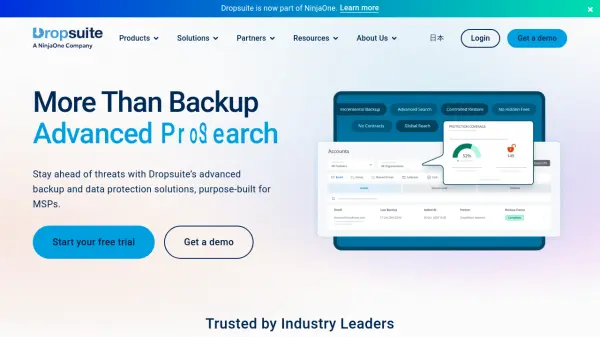
Dropsuite is a comprehensive cloud backup and data protection platform designed to secure business-critical information across key cloud applications such as Microsoft 365, Google Workspace, QuickBooks Online, and website databases. The platform ensures the integrity and availability of data with advanced backup, archiving, and disaster recovery features, offering unlimited storage, flexible retention policies, and enterprise-grade security protocols.
Purpose-built for managed service providers (MSPs) and businesses in regulated industries, Dropsuite delivers seamless integration, eDiscovery and compliance management, and incremental backup functionalities. Its centralized management console simplifies administration, enhances operational efficiency, and helps organizations minimize downtime while ensuring regulatory compliance and robust data recovery capabilities.
Features
- Multi-Platform Support: Backup for Microsoft 365, Google Workspace, QuickBooks Online, and Websites
- Unlimited Storage: No storage caps for backups and archives
- Flexible Retention Policies: Adjustable retention settings to meet compliance requirements
- Incremental Backup: Efficient data protection capturing only changes since the last backup
- Rapid Data Recovery: Fast restore of lost or deleted information
- eDiscovery Integration: Advanced search and compliance management tools
- Centralized Management: Unified dashboard for streamlined administration
- Enterprise-Grade Security: Advanced protocols to safeguard sensitive data
- Automated Backups: Scheduled and continuous data protection
- No Vendor Lock-In: Flexibility to manage and migrate data as needed
Use Cases
- Automated backup and quick restoration of Microsoft 365 emails, files, Teams chats, and calendars
- Archiving and compliance management for regulated industries such as finance, healthcare, and insurance
- Disaster recovery planning for critical business information in the cloud
- Protecting financial records and reports in QuickBooks Online
- Securing website content and databases with regular backups and rapid restore options
- Managing data retention policies for audits and legal requirements
- Supporting managed service providers in delivering backup solutions to clients
- Minimizing downtime due to accidental deletions, data corruption, or cyber-attacks
FAQs
-
Which platforms does Dropsuite support for data backup?
Dropsuite supports data backup for Microsoft 365, Google Workspace, QuickBooks Online, and website and database content. -
Does Dropsuite offer unlimited storage for backups?
Yes, Dropsuite provides unlimited storage, allowing businesses to securely back up all their critical data without storage limitations. -
Can Dropsuite help with regulatory compliance?
Dropsuite includes advanced eDiscovery and compliance management features to help organizations meet industry regulations and legal requirements. -
Does Dropsuite provide disaster recovery services?
Yes, Dropsuite features disaster recovery functionality to ensure business continuity and rapid data restoration in the event of data loss. -
Is Dropsuite suitable for managed service providers (MSPs)?
Dropsuite is purpose-built for MSPs, offering centralized management tools and scalable solutions to support multiple client environments.