Teams without AI guidelines accumulate risk in silence. People paste client data into personal chat accounts, ship AI drafts without review, and assume IT approved a browser extension because a colleague shared it in Slack. A forty-page policy nobody reads does not fix that. A one-page guideline everyone references does.
Team AI tool guidelines set approved tools, data boundaries, disclosure expectations, and a lightweight exception process without burying practitioners in bureaucracy. This article provides a must-should-must-not template you can adapt in one working session. Align tool choices with AI productivity tools and AI chatbot tools your security team has reviewed for your data tier.
Policy Scope: What It Covers and Omits
Scope defines which people, tools, and work types the guideline governs. A team-level guideline covers day-to-day practitioner behavior: which apps are approved, what data may enter them, and how outputs get reviewed. It does not replace enterprise security policy, vendor contracts, or legal review for regulated industries.
State explicitly what the guideline omits: personal hobby use on personal devices, enterprise-wide procurement rules, and model training on customer data unless a separate program exists. Clarity prevents arguments about whether "the AI policy" applies to a shadow tool someone installed yesterday.
Approved Data Tiers and Use Cases
Data tiers translate security classification into daily decisions. Most teams need three to four tiers with plain-language examples, not legal jargon alone.
| Tier | Examples | AI use rule |
|---|---|---|
| Public | Published marketing, open docs | Approved tools with human review before publish |
| Internal | Team wikis, internal drafts | Approved enterprise tools; no personal accounts |
| Confidential | Customer data, unreleased product plans | Only tools with contract and admin controls; redact identifiers |
| Restricted | PII, PHI, credentials, legal holds | Prohibited in generative AI unless explicit exception |
Disclosure Requirements for AI-Assisted Work
Disclosure rules prevent silent reliance on unverified AI output. Require disclosure when content goes external, when clients or regulators expect human authorship standards, and when supervisors request transparency on material deliverables.
A practical disclosure line: "Created with AI assistance and reviewed by [Name]." Grammar-only assistance on internal notes may not need disclosure; client-facing strategy decks do. Document the threshold in the guideline so practitioners do not guess per project.
Tool Approval and Exception Process
Maintain a short approved-tool list with owner, intended use cases, and data tier ceiling. New tool requests submit a one-page form: job to be done, data involved, alternatives considered, and trial duration. A single approver (team lead plus security delegate) responds within five business days.
Exceptions for restricted data require written approval, time limit, and logging. Undocumented exceptions become shadow IT. Personal accounts for company work stay off the approved list unless your enterprise program explicitly allows bring-your-own with enrollment.
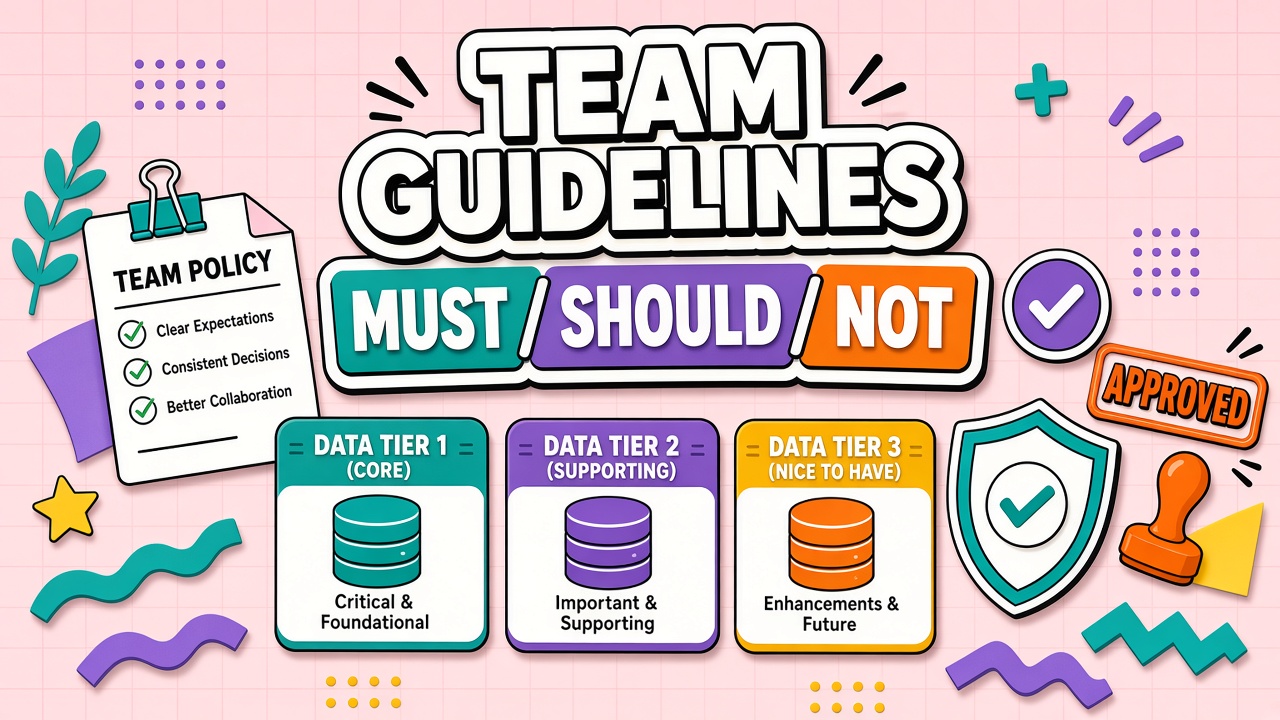
Must, Should, Must-Not Template
- Must: Use approved tools for company data; verify AI output before external use; report incidents within 24 hours
- Should: Start from the team prompt library; label drafts as AI-assisted in shared docs; ask office hours before novel use cases
- Must not: Paste restricted data into public models; automate consequential decisions without review; bypass SSO for work tasks
Review Cadence and Update Triggers
Review the guideline quarterly and within thirty days of any major vendor change, security incident, or new regulation affecting your sector. Assign one owner to publish version numbers and changelog notes. Practitioners should know where the current PDF or wiki page lives without searching email.
Rolling Out Guidelines Without Revolt
Publish a draft to champions first and incorporate practitioner feedback before all-hands email. Explain the business reason: protect customer data, reduce rework from unverified outputs, and speed approvals by making expectations explicit. Pair the guideline launch with office hours, not only a PDF attachment.
One-page guideline outline
- Purpose (three sentences)
- Approved tools with data tier ceiling
- Prohibited data and use cases
- Review and disclosure rules
- Exception request link
- Incident reporting contact
- Version date and owner
Integrating guidelines with onboarding
New hires should sign acknowledgment on day one and complete a fifteen-minute policy quiz before receiving production tool access. Include two scenario questions: one allowed use case and one prohibited paste. Wrong answers route to a champion, not automatic denial, so learning stays constructive.
Policy Examples by Scenario
Internal brainstorming with public data on an approved enterprise chatbot: allowed with human review before external reuse. Pasting customer ticket text with identifiers into a consumer model: prohibited. Using AI to polish grammar on an already accurate internal status update: allowed without disclosure. Generating a client strategy deck: allowed on approved tools with disclosure, named reviewer, and client contract check.
Scenarios beat abstract rules because practitioners pattern-match daily work to examples. Add six to ten scenarios your team actually encounters; retire examples that reference deprecated tools.
Linking guidelines to tool intake
Intake forms should ask data tier, workflow name, and whether output goes external. Auto-route high-tier requests to security review. Low-tier internal experiments still need a time box if they are trials. Guidelines without intake enforcement become suggestions.
Frequently Asked Questions
Can employees use personal AI accounts for work?
Default answer: no for any non-public data. Personal accounts lack admin visibility, retention controls, and contractual protections. If leadership allows limited BYO, require enrollment, prohibit confidential tiers, and document the carve-out in the guideline.
What changes for client deliverables?
Follow client contract terms first, then team guideline. Many clients require disclosure, human review, or prohibition on training use. Add a client-work checklist to the prompt library and flag engagements where AI use needs legal sign-off.
Should guidelines include penalties?
Reference HR and security consequence frameworks without inventing new punishments in the team doc. Clarity on reporting and remediation matters more than threatening language. Most violations trace to confusion, not malice.
Is a one-page guideline enough for a ten-person team?
Yes, if it names tools, tiers, disclosure, and the exception path. Small teams still handle confidential data. Link to enterprise policies for depth; keep the team page scannable on one screen.
Annual Guideline Health Check
Each year, review whether approved tools list matches reality, whether data tiers still match vendor contracts, whether disclosure examples reflect current client contracts, and whether exception volume suggests rules are too tight or too loose. High exception volume means clarify rules; zero exceptions for a year may mean shadow use instead of compliance.
Survey practitioners anonymously: do they know where the guideline lives, do they understand tier examples, did they encounter a scenario with no guidance? Feed answers into the next revision.