What is DocxManager?
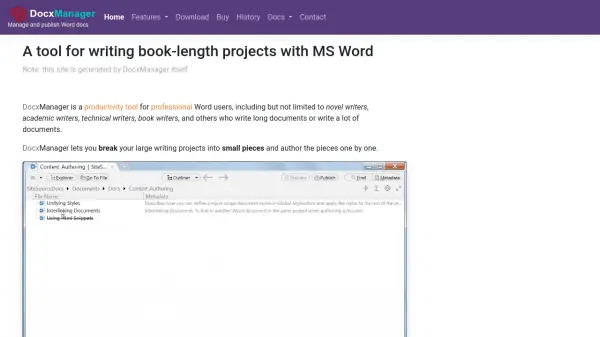
DocxManager serves as a productivity tool tailored for professional Word users, including novel writers, academic writers, technical writers, and book writers. It enables users to break large writing projects into smaller, manageable pieces, authoring each piece individually. The outliner feature provides a visual overview of the project, allowing users to click nodes to edit documents directly in a nested Word window.
Additionally, DocxManager can generate professional-looking websites from writing projects. The project outline transforms into the website's navigation menu, with each document becoming a web page. This tool is designed for ease of use, supporting various document management and publishing tasks.
Features
- Outliner Software: Visual overview of writing projects with click-to-edit functionality in Word.
- Corkboard View: Organize and view document pieces in a flexible layout.
- Full-text Search: Quickly find content across all documents in the project.
- Multi-Column Outliner: Manage complex outlines with multiple columns for better organization.
- Document Tabs: Switch between multiple documents easily within the interface.
- Document Metadata: Add and manage metadata for enhanced document tracking.
- Writing Goal Tracking: Set and monitor writing goals to stay on track.
- Versatile Document Viewer: View documents in various formats for editing and review.
- Combine Documents: Merge multiple documents into a single file for unified output.
- Website Generator: Create professional websites from writing projects with automatic navigation.
- In-Document Shortcodes: Use shortcodes for dynamic content insertion and formatting.
- SFTP/FTP Upload: Publish documents directly to servers via SFTP or FTP protocols.
Use Cases
- Writing and managing book-length projects such as novels or academic papers.
- Organizing technical documentation or long reports into manageable sections.
- Generating professional websites from written content for online publishing.
- Tracking writing goals and progress for authors and researchers.
- Combining multiple documents into a single output for publication or submission.