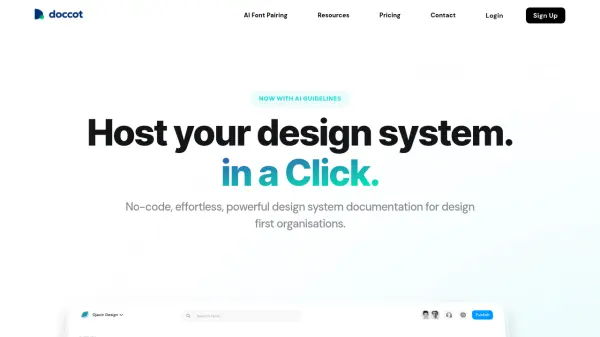
What is Doccot?
Doccot provides a powerful, no-code solution for creating and hosting design system documentation. It integrates seamlessly into workflows with a dedicated Figma plugin for fast synchronization and updates. The platform enables design leaders to quickly realign teams across organizations through open documentation and clear guidelines.
With AI-generated guidelines, Doccot expedites team tasks by offering smart, intuitive recommendations. Users can import designs from Figma and customize them completely to match branding using familiar tools like a no-code editor, color picker, and design elements for styling. Features include "Take Me There" buttons for direct Figma component access, shareable public links, and collaboration tools like adding contributors and dos/donts sections.
Features
- AI Generated Guidelines: AI generates smart, intuitive guidelines to expedite team tasks
- Figma Integration: Dedicated Figma Plugin for blazing fast sync and updation
- No Code Editor: Supercharge team productivity with a no-code editor for customization
- Take Me There™: Clicking this button takes users directly to the exact component in Figma file
- Shareable Public Link: Generate a public link to share documentation with everyone in the organization
- Design Elements: Style every layer using property controls like colours, typography, and padding
- Add Contributors: Bring entire team to the platform to enhance collaboration
- Dos and Donts: Introduce dos and donts with just one click for advanced guidelines
Use Cases
- Creating design system documentation for organizations
- Hosting and sharing design guidelines across teams
- Integrating design workflows with Figma for faster updates
- Customizing design documentation to match brand identity
- Collaborating on design projects with multiple contributors
- Generating AI-assisted guidelines to improve design efficiency
FAQs
-
What is Doccot?
Doccot is a no-code platform for creating and hosting design system documentation with AI-generated guidelines and Figma integration. -
How does Doccot integrate with Figma?
Doccot offers a dedicated Figma Plugin for fast synchronization and updates, including a 'Take Me There' button to access components directly in Figma. -
What are the pricing plans for Doccot?
Doccot offers two plans: Design System Documentation at $149 per month and Design Project Documentation at $19 per seat per month, both with a 14-day free trial. -
Can I share my documentation with others?
Yes, Doccot allows users to generate a public link to share documentation with everyone in the organization. -
Does Doccot support team collaboration?
Yes, Doccot supports adding contributors and includes features like dos and donts sections to enhance team collaboration on design projects.