What is Dialoqbase?
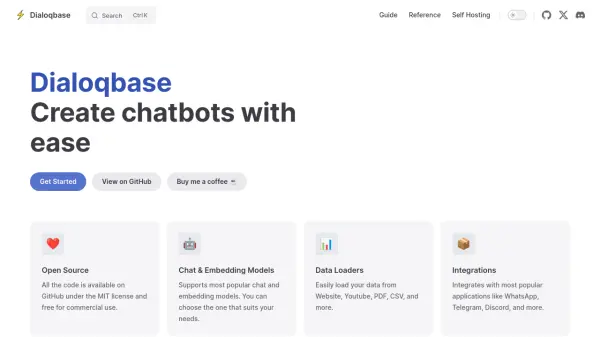
Dialoqbase is an open-source platform designed for the straightforward creation of chatbots. It allows users to leverage a wide range of popular chat and embedding models, providing flexibility to choose the best fit for specific requirements. The tool facilitates easy data loading from diverse sources, including websites, YouTube videos, PDFs, and CSV files.
Built under the MIT license, Dialoqbase is freely available for commercial use, with all its code accessible on GitHub. It offers integrations with widely used applications such as WhatsApp, Telegram, and Discord, enabling seamless deployment of chatbots across different platforms.
Built under the MIT license, Dialoqbase is freely available for commercial use, with all its code accessible on GitHub. It offers integrations with widely used applications such as WhatsApp, Telegram, and Discord, enabling seamless deployment of chatbots across different platforms.
Features
- Open Source: Code available on GitHub under MIT license, free for commercial use.
- Chat & Embedding Models Support: Compatible with most popular chat and embedding models.
- Versatile Data Loaders: Load data easily from websites, YouTube, PDFs, CSVs, and more.
- Platform Integrations: Connects with popular applications like WhatsApp, Telegram, and Discord.
Use Cases
- Building custom chatbots for websites.
- Creating AI assistants for customer support.
- Developing chatbots for integration with messaging apps (WhatsApp, Telegram, Discord).
- Utilizing specific chat and embedding models for tailored bot performance.
- Loading proprietary data into chatbots from various file formats.