What is Designful?
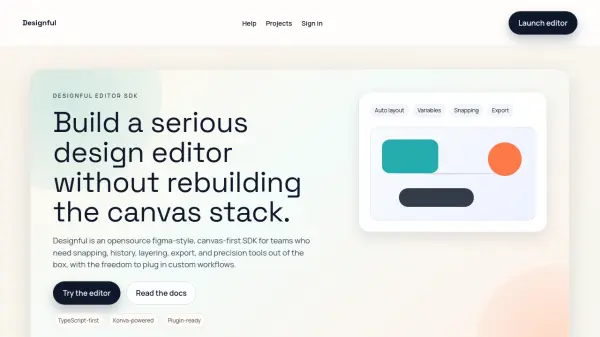
Designful is an open-source, canvas-first SDK designed for teams that need to build serious design editors without rebuilding the canvas stack. It provides a Figma-style experience with features like auto layout, variables, snapping, and export, all powered by a modular and extensible architecture.
Built with TypeScript and Konva, Designful offers pixel-accurate snapping, alignment guides, and rulers that behave at any zoom. It includes production-ready capabilities such as history, storage, export, and performant rendering. The SDK is plugin-ready, allowing teams to extend behavior and integrate custom workflows seamlessly.
Features
- Smart editing tools: Selection boxes, transform handles, multi-select, and precision nudges.
- Layout systems: Auto layout, group management, frames, and constraints for responsive designs.
- Asset pipeline: Images, SVG import, custom HTML nodes, and styled text handling.
- Export and storage: Export PNG, JPG, SVG with accurate bounds and state persistence.
- Performance control: On-demand render, culling, and level of detail management.
- Extensible by design: Plugins, manager APIs, and events to support bespoke workflows.
Use Cases
- Building UI builders
- Creating marketing content editors
- Developing template editors with brand constraints
- Designing diagramming and flow tools
- Building internal design tools
FAQs
-
Do I have to use the UI package?
No. The core SDK is UI-agnostic. Use the Vue UI package or build your own. -
How do I extend behavior?
Use plugins and manager events to add tools, actions, or custom renderers. -
Is it ready for production?
It is built with performance features like culling and cached rendering.