What is DesignDash?
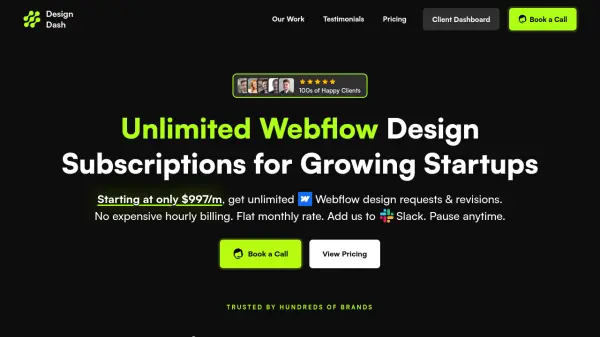
DesignDash provides a subscription-based web design service focused on Webflow development, allowing clients to submit unlimited design requests and revisions for a fixed monthly fee. The service eliminates traditional hourly billing models, offering predictable costs and flexibility to pause subscriptions at any time without long-term commitments.
Clients collaborate with experienced designers through Slack integration, receiving production-ready websites with real HTML/CSS code rather than mock-ups. The service includes detailed video updates, free stock images, and a satisfaction guarantee with refund options within 14 days. DesignDash specializes in creating responsive landing pages, marketing websites, blogs, apps, and dashboards using tools like Webflow, Figma, and custom code solutions.
Features
- Unlimited Design Requests: Submit as many design requests as needed with no restrictions on quantity
- Professional Designers: Work with experienced designers who provide high-quality Webflow development
- Production-Ready Code: Deliver real working websites with HTML/CSS code instead of mock-ups
- Slack Integration: Collaborate directly through Slack for seamless communication
- Flat Monthly Rate: Predictable pricing with no hourly billing or hidden fees
- Flexible Pausing: Pause subscriptions anytime without long-term commitments
- Satisfaction Guarantee: 14-day refund policy if not satisfied with the service
Use Cases
- Building new marketing websites for startups
- Redesigning existing Webflow sites with modern UI/UX
- Creating responsive landing pages for product launches
- Developing blog platforms with custom CMS solutions
- Designing app dashboards and admin interfaces
- Migrating websites to Webflow from other platforms
- Ongoing website maintenance and updates
FAQs
-
What types of websites can DesignDash create?
DesignDash specializes in web design, creating full-responsive landing pages, sales pages, marketing websites, blogs, apps, dashboards, and other website types using Webflow. -
How does the unlimited design request system work?
Clients can submit unlimited requests per month, and the team processes them one by one. The Support plan is for ongoing Webflow support with 3-5 day turnaround, while the Growth plan offers priority support with 1-2 day turnaround for advanced projects. -
What happens after project completion regarding hosting?
Once complete, projects are transferred to the client's Webflow account where they manage and pay for hosting directly (typically $14-$50/month). DesignDash can also provide HTML/CSS code exports for integration with other systems. -
Can I pause my subscription?
Yes, subscriptions can be paused at any time without long-term contracts or commitments, providing flexibility for changing business needs.