What is DeployFast?
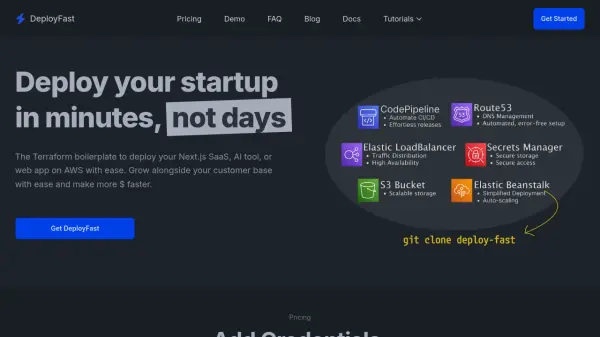
DeployFast provides a comprehensive Terraform solution designed to streamline the deployment of Next.js applications on AWS. It automates the entire infrastructure setup process, eliminating the need for manual configuration of complex settings. With a single command, users can deploy production-ready applications that are scalable and secure, leveraging AWS services like EC2 instances, S3 buckets, and AWS Secrets Manager.
The platform offers complete control over infrastructure customization while ensuring high availability and performance without cold starts. It includes built-in CI/CD pipelines through AWS CodePipeline, automated DNS setup with Route53, and transparent pricing without hidden fees. DeployFast is ideal for developers seeking a reliable alternative to platforms like Vercel or Netlify, focusing on efficiency and scalability for SaaS, AI tools, or web apps.
Features
- One-Line Command Rapid Deployment: Automates the entire deployment process with a single terminal command
- Scalable Elastic Beanstalk Architecture: Ensures seamless scaling with AWS Elastic Beanstalk as demand increases
- Built-in CI/CD Pipeline: Integrates AWS CodePipeline for automated deployment workflows
- Secure Secrets Management: Uses AWS Secrets Manager to protect environment variables
- Automated DNS Setup: Configures domains effortlessly with AWS Route53
- Granular Infrastructure Control: Allows full customization of AWS resources without limitations
- No Cold Starts: Maintains always-on EC2 instances for consistent performance
- Transparent Pricing: No hidden fees for data transfer or scaling costs
Use Cases
- Deploying Next.js SaaS applications on AWS
- Setting up scalable web apps with automated infrastructure
- Streamlining deployment for AI tools or startups
- Implementing CI/CD pipelines for development teams
- Managing secure environment variables for production apps
- Automating DNS and domain configuration for web projects
FAQs
-
What are the system requirements for using DeployFast?
You'll need Terraform, an AWS account, and Docker Hub credentials to get started with DeployFast. -
Are there any other costs associated with DeployFast?
DeployFast itself has no additional costs, but you'll pay for AWS resources used (like EC2 instances, S3 storage) and optionally for Docker Hub storage if using private repositories. -
How can I get support for DeployFast?
Support is available via email at [email protected] and through a growing Discord community for help and networking with other developers.