

What is Decision Mentor?
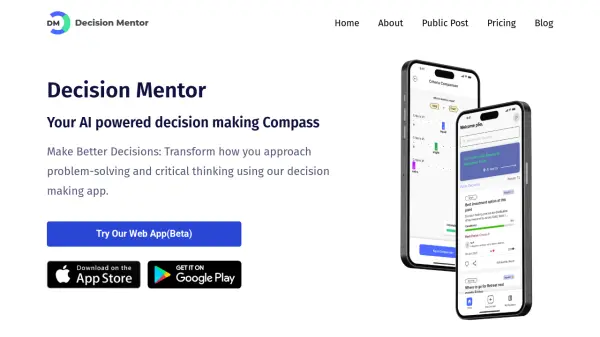
Decision Mentor is an AI-powered decision-making application designed to revolutionize the way users approach problem-solving and critical thinking. This tool leverages the power of artificial intelligence to guide users through complex choices, ensuring well-informed and effective decisions.
Based on the Multiple Criteria Decision Making/Analysis (MCDM/MCDA) theory called Analytic Hierarchy Process (AHP), Decision Mentor offers a structured, scientific approach. The integrated AI Mentor feature utilizes OpenAI’s GPT-3.5 API, providing criteria suggestions and advice through machine learning algorithms.
Features
- Criteria-Based Process: Identify the most preferred options and prioritize criteria.
- Side-by-Side Comparisons: Compare options to visualize decisions effectively.
- AI Mentor: Receive criteria suggestions powered by OpenAI’s GPT-3.5 API.
- Multiple Criteria Decision Making (MCDM): Utilizes the Analytic Hierarchy Process (AHP).
- Privacy Focused: User data is not stored in the cloud; personal decisions remain private.
- Mind Map (Playground): Visualize decisions with prioritized criteria and options.
Use Cases
- Individuals making personal decisions.
- Teams collaborating on project choices.
- Organizations needing assistance with strategic decisions.
- Users seeking advice on private matters.
- Evaluating multiple options with various criteria.
FAQs
-
What is the Science behind the Decision Mentor?
Decision Mentor is based on Multiple Criteria Decision Making / Analysis (MCDM/MCDA) theory called Analytic Hierarchy Process (AHP) created by Prof. Thomas L. Saaty. AHP is the most commonly used MCDM / MCDA theory of decision making. -
How Artificial Intelligence (AI) is integrated with Decision Mentor?
AI Mentor feature in Decision Mentor App uses OpenAI’s GPT-3.5 API for criteria suggestions. The AI mentor uses machine learning algorithms to analyze the user's inputs and provide relevant advice. (Review and Update) -
What happens to the privacy of my Decisions?
We take our user’s privacy seriously. No information is stored in the cloud. The information about their personal decisions will only be visible to users. Even the Decision Mentor team does not have access to it. However, public decisions will be shared in the public feed (It is up to the users to make it public or not). -
Who can use Decision Mentor App?
Any individuals, teams, or organizations who require assistance in making critical decisions can use this decision making app. Additionally, it is aimed at people who don't have anyone around to offer advice or whose decisions are private to be discussed with anyone.