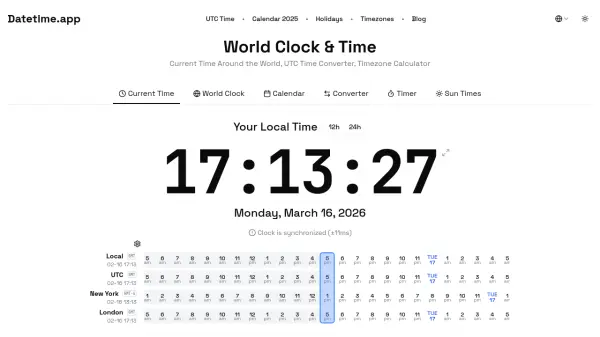
What is Datetime.app?
Datetime.app offers a complete suite of time management tools designed for global users. The platform displays current local time with synchronization indicators and provides a world clock showing times across major cities worldwide. It includes a timezone converter for calculating time differences between regions, a calendar view for date planning, and a countdown timer for event tracking.
The tool presents time in multiple formats including UTC, Unix timestamp, and ISO 8601 standards. Additional features include sunrise and sunset calculators, year progress tracking, age calculation, and holiday information. The interface supports both 12-hour and 24-hour time formats with precise synchronization to ensure accuracy for international communications and scheduling needs.
Features
- World Clock: Displays current times across global cities with timezone information
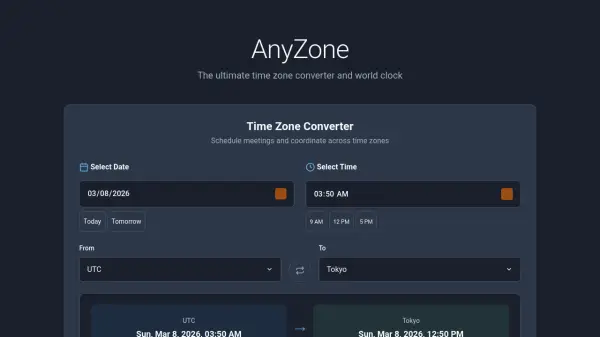
- Timezone Converter: Calculates time differences between different regions using UTC offsets
- Calendar View: Shows monthly calendar with date selection and day information
- Multiple Time Formats: Presents time in UTC, Unix timestamp, and ISO 8601 standards
- Timer Function: Countdown timer with hours, minutes, and seconds controls
- Sun Times Calculator: Determines sunrise and sunset times based on location
- Time Tools: Includes year progress bar, age calculator, and holiday information
Use Cases
- Coordinating international meetings across different timezones
- Planning travel schedules with timezone conversions
- Programming applications requiring timestamp calculations
- Tracking global events with synchronized timing
- Managing project deadlines across distributed teams
- Converting time formats for technical documentation
- Calculating age or time intervals for various purposes
- Planning activities based on sunrise and sunset times