DataGym favicon

DataGym
AI-powered annotation tools for 10x faster image labeling

What is DataGym?

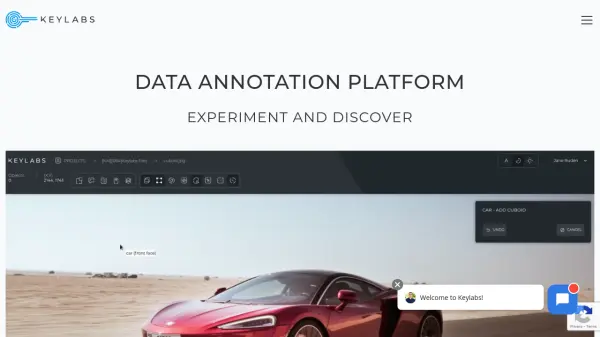
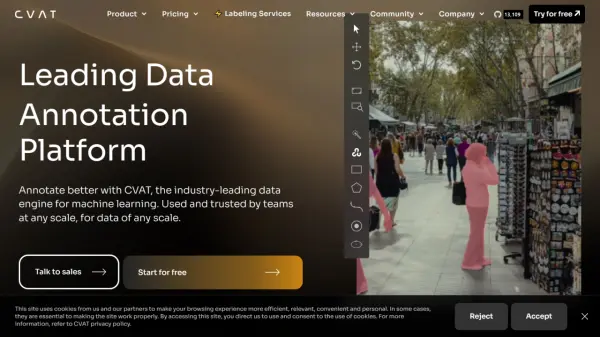
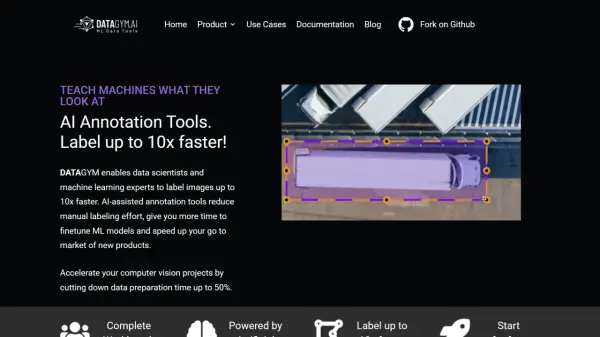
DataGym is a comprehensive AI-powered training data and image annotation platform designed for professional teams working on computer vision projects. The platform combines AI-assisted labeling functions with robust project management capabilities to streamline the data preparation process.

The platform supports both image and video annotation, featuring specialized editors and AI-powered tools like Pre-Labeling that can detect up to 80 distinct object classes. Additionally, it offers seamless integration options through APIs, allowing users to stream data directly from various sources including local machines, public URLs, and AWS S3 buckets.

Features

  • AI-Assisted Labeling: Accelerate annotation speed up to 10x faster
  • Pre-Labeling: Automatic detection of up to 80 object classes
  • Video Annotation: Specialized editor with adjustable playback speeds
  • API Integration: Stream and export data seamlessly
  • Multiple Import Sources: Support for local files, URLs, and S3 buckets
  • Quality Control: Built-in systems for maintaining data accuracy
  • Team Collaboration: Complete workbench for team management

Use Cases

  • Computer vision model training
  • Image dataset preparation
  • Video annotation projects
  • Machine learning data preparation
  • Training data pipeline creation
  • Object detection projects

FAQs

  • What types of files can I import into DataGym?
    You can import image data from your local machine, any public image URL, or directly from an AWS cloud S3 bucket.
  • How many object classes can the Pre-Labeling feature detect?
    The Pre-Labeling feature can detect up to 80 distinct object classes on your images.
  • What features are included in the free version?
    The free Developer version includes 1 user, 3 projects, 400 images/month, 1GB storage, 100x AI assistance per month, API support, and external storage capabilities.

Related Queries

Helpful for people in the following professions

Related Tools:

Blogs:

  • Best text to speech AI tools

    Best text to speech AI tools

    Text-to-speech (TTS) AI tools are designed to convert written or text-based content into natural-sounding spoken audio. These tools utilize various deep learning and neural network architectures to generate human-like speech from textual input.

  • Best AI Tools For Startups

    Best AI Tools For Startups

    we've compiled a straightforward list of user-friendly AI tools designed to give startups a boost. Discover practical solutions to streamline everyday tasks, enhance productivity, and gain valuable insights without the need for a tech expert. Learn where and how these tools can be applied in your startup journey, from automating repetitive tasks to unlocking powerful data analysis. Join us as we explore the features that make these AI tools accessible and beneficial for startups in various industries. Elevate your business with technology that works for you!

  • Best ai tools for Twitter Growth

    Best ai tools for Twitter Growth

    The best AI tools for Twitter's growth are designed to enhance user engagement, increase followers, and optimize content strategy on the platform. These tools utilize artificial intelligence algorithms to analyze Twitter trends, identify relevant hashtags, suggest optimal posting times, and even curate personalized content.

  • Top 6 AI note-taking tools for 2026: in-person, online, and hybrid use cases

    Top 6 AI note-taking tools for 2026: in-person, online, and hybrid use cases

    Most AI note-taking lists are really lists of meeting bots, which join your video call and transcribe it. That's useful, but it's half the picture. Decisions happen in hallway conversations, client dinners, on-site visits, and hybrid rooms where nobody is on a video link. This guide covers different parts of the note-taking workflow: hardware capture for in-person settings, platform-native tools for online calls, and AI layers for organizing and synthesizing what you've captured. It compares six tools by capture context, workflow fit, pricing, and limitations.

Didn't find tool you were looking for?

Be as detailed as possible for better results