What is CONREP?
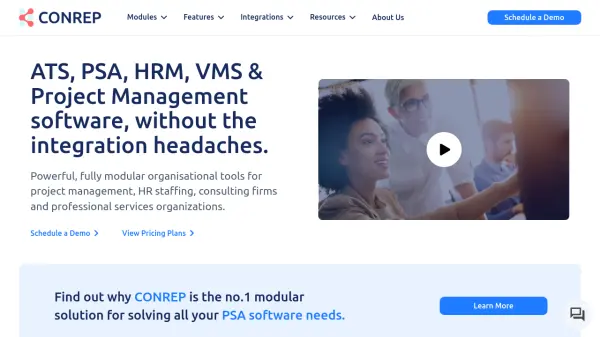
CONREP delivers a comprehensive, AI-integrated Professional Services Automation (PSA) platform. This cloud-based system offers fully modular software solutions designed to manage and automate the entire spectrum of front and back-office operations. It caters specifically to project management, HR staffing, consulting firms, and professional services organizations by providing tools that seamlessly integrate, thereby reducing the complexity and cost associated with managing multiple, disparate software systems.
Featuring "AI at Every Step," CONREP enhances operational efficiency and productivity across its diverse modules. These include advanced Applicant Tracking Systems (ATS), comprehensive Human Resource Management (HRMS), robust Customer Relationship Management (CRM), DCAA-compliant Project Management, and integrated Accounting & Finance. The platform also supports specialized functions like bench sales management, mass mail marketing, and vendor management, all underscored by customizable workflows, detailed reporting, and user-centric self-service portals.
Features
- AI-Powered Modules: Integrates AI across solutions like HRMS, ATS, CRM, and VMS for enhanced efficiency.
- Fully Modular Platform: Allows businesses to select stand-alone modules or a fully integrated enterprise solution for Professional Services Automation.
- Comprehensive HR Management (HRMS): Covers AI-powered onboarding, timesheets, expenses, benefits, immigration, and payroll integration.
- Advanced Applicant Tracking System (ATS): AI-powered recruitment tool with resume board integrations, job posting automation, and candidate portals.
- Integrated CRM & Sales Tools: Manages customers, contacts, opportunities, and task orders with AI-enabled features and self-service client portals.
- DCAA Compliant Project Management: Effectively manages Commercial, Federal & State Govt Contracts & Task Orders with features like SOW/CLIN management and real-time reporting.
- Robust Accounting & Finance: Features automated invoicing, AR/AP management, QuickBooks and Plaid integration, and comprehensive financial reports.
- Integrated Mass Mail Marketing: Send personalized bulk emails to various lists with smart filtering and bounce automation.
- AI-Driven Vendor Management System (VMS): Efficiently manages consultants, submissions, projects, timesheets, invoices, and payments with suppliers.
- Customizable Workflows & Reporting: Offers alerts, notifications, audit trails, custom fields, role-based dashboards, and global search.
Use Cases
- Automating end-to-end recruitment and hiring processes using an AI-powered ATS.
- Managing the entire employee lifecycle, including HR, payroll, benefits, performance, and compliance.
- Streamlining sales pipelines, customer relationship management, and client support.
- Executing and overseeing complex projects, ensuring DCAA compliance and managing budgets.
- Handling comprehensive financial operations, including invoicing, payments, and profitability analysis.
- Optimizing bench sales processes, managing hotlists, and tracking candidate placements.
- Conducting targeted and personalized mass email marketing campaigns.
- Efficiently managing vendor relationships, procurement processes, and associated billing.