
What is Compass Education?
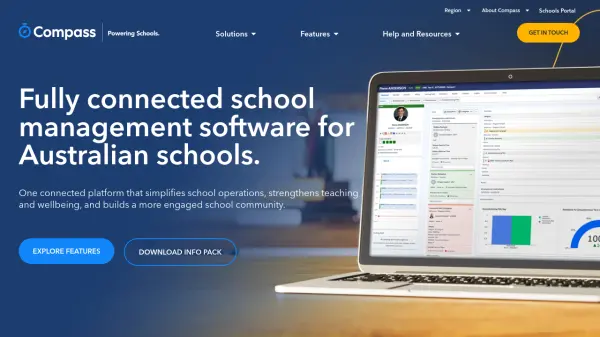
Compass Education provides a single, connected platform that streamlines school administration, teaching and learning, wellbeing, community engagement, and finance management. By replacing multiple scattered tools with one source of truth, Compass reduces administrative burden and turns school data into actionable insights. The platform offers integrated features such as attendance tracking, curriculum planning, behavior monitoring, parent communication, and billing, all accessible through a school-branded portal and mobile app. Over 5,000 schools globally use Compass to improve efficiency, support student outcomes, and foster a cohesive school community.
Features
- Activity Management: Organize events, co-curricular programs, clubs, and ticketed sales with permissions, payments, and calendar views.
- School Administration: Manage attendance, people data, room bookings, staff development, and live dashboards for informed decision-making.
- Wellbeing: Monitor behavior, record health incidents, automate parent notifications, and ensure secure duty-of-care workflows.
- Community Engagement: Connect families through a parent portal and mobile app with news feeds, messaging, payments, permissions, and alumni tools.
- Teaching & Learning: Plan curriculum, track skills, create tasks, manage feedback, and publish semester reports linked to learning outcomes.
- Finance & Billing: Handle general ledger, AR/AP, fixed assets, parent billing, online payments, and automatic receipting.
- Reporting & Analytics: Live dashboards, visual reporting, and cross-class/cohort progress comparisons to identify trends.
- Integration Partners: Best-in-class partner integrations and a single sign-on experience with other educational tools.
Use Cases
- Streamlining daily school operations and reducing teacher administrative workload.
- Tracking student attendance, behavior, and wellbeing across campuses.
- Managing parent communication, payments, and event permissions through one portal.
- Planning curriculum, assessing student progress, and generating semester reports.
- Consolidating school finances from billing to general ledger reconciliation.
FAQs
-
What types of schools does Compass support?
Compass supports independent, government, and Catholic schools, with tailored solutions for each type. -
Does Compass include a mobile app?
Yes, Compass offers a mobile app for iPhone and Android, providing access to student information, messaging, payments, and more on the go. -
Can Compass integrate with other school systems?
Yes, Compass has best-in-class integration partners and supports a single sign-on experience with other educational tools. -
Is there training or support available?
Yes, Compass provides a help desk, support center, and resources such as a parent guide and FAQ.