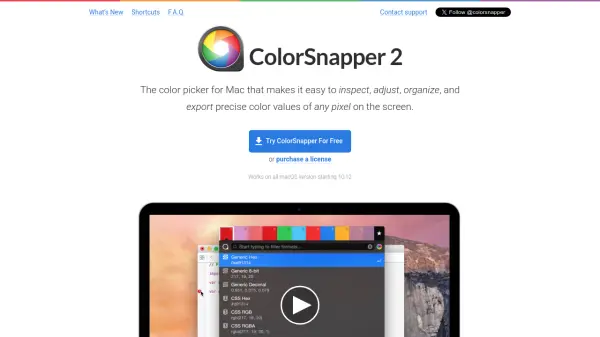
What is ColorSnapper 2?
ColorSnapper 2 is a specialized color picker tool for macOS, designed to make it simple and accurate to inspect, adjust, organize, and export color values from any pixel visible on the screen. Its advanced magnifying glass feature allows users to precisely select colors, even on retina and multi-display setups, while supporting both gesture and keyboard controls for efficient operation.
With seamless integration into macOS, ColorSnapper 2 supports light and dark modes, favorites, and history tracking, as well as native Apple Color Panel for real-time color adjustment. The tool exports colors in over 30 formats to match various coding styles, supports workflow enhancement with developer and designer tools like Photoshop and Illustrator, and ensures color accuracy for native macOS applications by converting profiles to sRGB.
Features
- Magnifying Glass: High-precision pixel selection across multiple displays and resolutions.
- Hi-Precision Mode: Selects physical pixels on retina screens with enhanced sensitivity.
- Multiple Export Formats: Supports more than 30 color formats including CSS, Swift, Android, and OpenGL.
- Favorites & History: Mark colors as favorites and access a historical log of picked colors.
- Color Adjustment: Integrated with Apple Color Panel for live modification before export.
- Developer Workflow Integration: Direct export to code editors in preferred styles.
- Photoshop & Illustrator Integration: Controls color in leading design applications.
- Clipboard Screenshot: Instantly capture and copy zoomed images using the magnifying glass.
- Gesture & Keyboard Controls: Fine-tune selection, zoom, and navigation for fast operation.
Use Cases
- Extracting precise color values from websites and apps for UI/UX design.
- Generating color codes in developer-specific formats for coding projects.
- Organizing design palettes and tracking color choices over multiple sessions.
- Integrating with Photoshop and Illustrator for seamless design workflows.
- Ensuring color accuracy by converting monitor values to sRGB in macOS apps.
- Quickly adjusting and exporting colors to match company or project branding.
FAQs
-
Does ColorSnapper 2 work with all versions of macOS?
ColorSnapper 2 is compatible with all macOS versions starting from 10.12. -
Can I export colors in multiple coding formats?
Yes, the tool supports over 30 export formats, catering to various coding environments. -
Is there a way to keep track of favorite or recently used colors?
ColorSnapper 2 features favorites and history panels, allowing users to organize and revisit colors. -
Does ColorSnapper 2 integrate with Photoshop or Illustrator?
Yes, the tool can control foreground and background colors in both Adobe Photoshop and Illustrator.