Color Lisa favicon

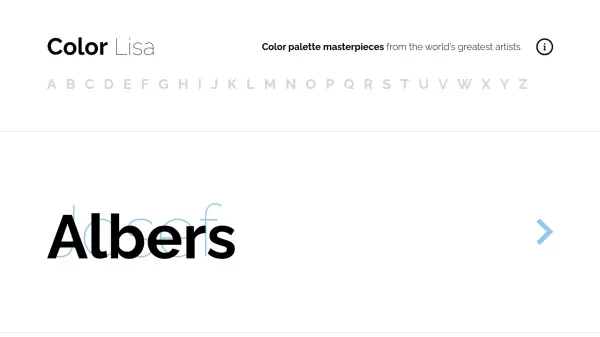
Color Lisa
Color palette masterpieces from the world's greatest artists.

What is Color Lisa?

Color Lisa is a curated list of color palettes based on masterpieces of the world's greatest artists. Each palette was painstakingly created by color-obsessed designers, artists, museum curators, and masters of color theory. Palettes are constantly being added to help keep designs colorful and fresh.

The tool offers a vast collection of palettes organized by artist, allowing users to explore and extract colors from iconic artworks. It serves as a resource for designers seeking inspiration and practical color combinations derived from art history.

Features

  • Curated Palettes: Color palettes based on masterpieces from world-renowned artists
  • Artist Organization: Palettes organized by artist for easy navigation and exploration
  • Expert Creation: Palettes painstakingly created by designers, artists, and color theory masters
  • Regular Updates: Constant addition of new palettes to keep designs fresh and inspired

Use Cases

  • Design inspiration for graphic designers
  • Color scheme selection for web development
  • Art education and color theory studies
  • Branding and marketing material design

Related Tools:

Blogs:

  • Top AI tools for Students

    Top AI tools for Students

    These AI tools are designed to enhance the learning experience for students. From personalized study plans to intelligent tutoring systems.

  • Best AI tools for Product Photography

    Best AI tools for Product Photography

    Explore top AI tools that can elevate your product photography, helping you enhance images, streamline workflows, and create professional visuals with ease.

  • Top 6 AI note-taking tools for 2026: in-person, online, and hybrid use cases

    Top 6 AI note-taking tools for 2026: in-person, online, and hybrid use cases

    Most AI note-taking lists are really lists of meeting bots, which join your video call and transcribe it. That's useful, but it's half the picture. Decisions happen in hallway conversations, client dinners, on-site visits, and hybrid rooms where nobody is on a video link. This guide covers different parts of the note-taking workflow: hardware capture for in-person settings, platform-native tools for online calls, and AI layers for organizing and synthesizing what you've captured. It compares six tools by capture context, workflow fit, pricing, and limitations.

Didn't find tool you were looking for?

Be as detailed as possible for better results