Cloud Coding favicon

Cloud Coding
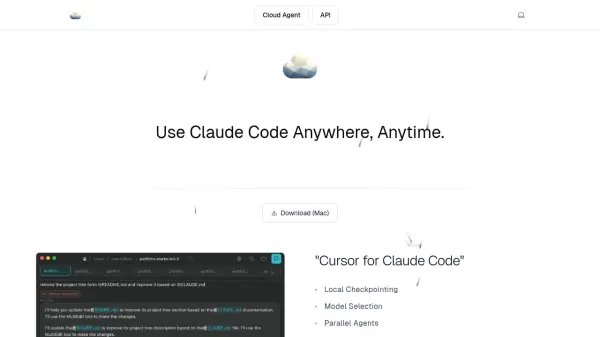
Use Claude Code Anywhere, Anytime

What is Cloud Coding?

Cloud Coding is a desktop application that allows developers to use Claude Code in a cloud-based environment. It provides a seamless interface for AI-assisted coding, with support for local checkpointing, model selection, and parallel agents. The tool is designed to enhance productivity by enabling developers to work with AI-powered coding assistance from anywhere. Cloud Coding is developed by QuikWork and is recommended by its creator as a cost-effective alternative to similar services.

Features

  • Local Checkpointing: Save and restore your coding session state locally.
  • Model Selection: Choose between different AI models for code assistance.
  • Parallel Agents: Run multiple AI agents simultaneously for faster task completion.
  • File System Navigation: Browse and manage files within the cloud environment.
  • Desktop Application: Use Claude Code as a native app on Mac.

Use Cases

  • AI-assisted code generation and debugging.
  • Parallel code review and refactoring using multiple agents.
  • Remote coding with cloud-based AI assistance.
  • Experimenting with different AI models for coding tasks.

Related Tools:

Blogs:

  • Best AI tools for Lawyers

    Best AI tools for Lawyers

    streamline legal processes, enhance research capabilities, and improve overall efficiency in the legal profession.

  • AI tools for video voice overs

    AI tools for video voice overs

    Discover the next level of video production with AI-powered voiceover tools. Enhance your content effortlessly, ensuring professional-quality narration for your videos.

  • Top 6 AI note-taking tools for 2026: in-person, online, and hybrid use cases

    Top 6 AI note-taking tools for 2026: in-person, online, and hybrid use cases

    Most AI note-taking lists are really lists of meeting bots, which join your video call and transcribe it. That's useful, but it's half the picture. Decisions happen in hallway conversations, client dinners, on-site visits, and hybrid rooms where nobody is on a video link. This guide covers different parts of the note-taking workflow: hardware capture for in-person settings, platform-native tools for online calls, and AI layers for organizing and synthesizing what you've captured. It compares six tools by capture context, workflow fit, pricing, and limitations.

Didn't find tool you were looking for?

Be as detailed as possible for better results