What is ClientPort?
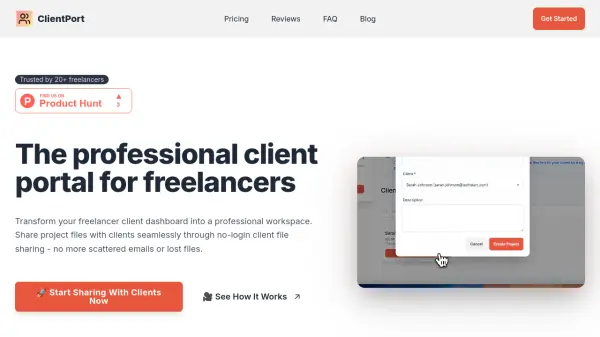
ClientPort offers freelancers a powerful platform to organize, manage, and share project files with clients through highly secure, no-login portals. Every client receives a unique access link, eliminating the need for password management and ensuring effortless, professional interactions. The portal is fully customizable, enabling users to apply their own branding, colors, and business name for a polished, white-label experience.
Automatic email notifications, integrated two-way communication, and cloud-based file storage ensure every client update and file exchange happens in a centralized, organized environment. With ClientPort, all project information, feedback, and shared assets remain easily accessible, reducing lost time searching for files and enhancing client satisfaction with streamlined digital collaboration.
Features
- Secure No-Login Portals: Share unique access links with clients for instant access without accounts or passwords.
- Custom Branding: Personalize portals with your logo, colors, and business details for a white-label look.
- Two-Way File Sharing: Allow clients to safely upload and receive files within a centralized workspace.
- Automatic Email Notifications: Clients are instantly informed of uploads, project updates, and comments.
- Project Analytics: Monitor project progress, client engagement, and revenue in a comprehensive dashboard.
- Interactive Project Updates: Post updates and communicate with clients directly within the portal.
- Cloud Storage: Securely store and share a variety of files up to 100GB with paid plans.
- Client Management: Easily organize and oversee all client projects in one place.
- Priority Support: Enjoy responsive assistance with Pro and Lifetime plans.
- Export Functionality: Retrieve all client data and files if you choose to leave the platform.
Use Cases
- Streamlining project communication and file sharing between freelancers and clients.
- Providing a branded, professional interface for delivering project assets and updates.
- Reducing client confusion and lost files caused by email attachments and scattered communication.
- Enabling remote and asynchronous project collaboration without account creation hurdles.
- Centralizing all project files, client feedback, and communications for improved organization.
- Automatically keeping clients notified throughout the project lifecycle.
- Allowing clients to securely upload required materials or revisions directly to the project portal.
FAQs
-
Do my clients need to create accounts?
No, clients receive a secure, unique link granting them portal access instantly without the need for passwords or sign-ups. -
How secure are the client portals?
Access is controlled by unguessable tokens and all files are stored securely in the cloud, ensuring only authorized clients can view their project data. -
Can I customize the portal for my brand?
Yes, the platform supports your business name, colors, and logo, providing a fully white-labeled, professional experience. -
What file types can I upload?
You can upload any file type, including documents, images, videos, design files, and code, subject to size limits based on your plan. -
What happens if I cancel my subscription?
You can export your client data and files before canceling; existing portals remain accessible for 30 days for a smooth transition.