

What is Chessvision.ai?
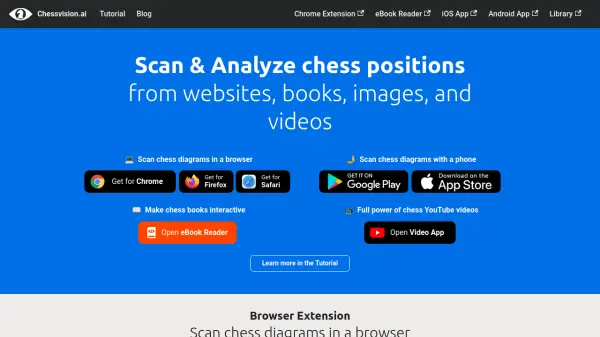
Chessvision.ai is an AI-powered platform designed to scan and analyze chess positions from various sources, including websites, books, images, and videos. It offers multiple tools such as browser extensions, mobile apps, an eBook reader, and a video app to enhance chess learning and analysis. The platform uses artificial intelligence to recognize chess diagrams, provide analysis, and match positions with relevant YouTube videos for deeper insights.
With features like interactive eBooks, real-time video analysis, and bots for social platforms, Chessvision.ai helps users improve their chess skills by making complex positions accessible and understandable. It is suitable for players, teachers, and enthusiasts looking to leverage technology for better chess study and practice.
Features
- Browser Extension: Scan chess diagrams in a browser and add videos to Chess.com for analysis
- eBook Reader: Make chess eBooks interactive by processing PDFs and opening diagrams for analysis
- Mobile Scanner App: Scan chess diagrams from prints or digital sources and find matching YouTube videos
- Video App: Watch chess videos with synchronized analysis boards and search by chess concepts
- Bots: Analyze chess diagrams on Discord, Twitter, and Reddit with dedicated bots
Use Cases
- Scanning chess diagrams from websites for puzzle hints
- Making chess eBooks interactive for enhanced learning
- Analyzing chess positions from images or photos on mobile
- Watching chess videos with real-time analysis and board synchronization
- Using bots to analyze chess diagrams on social media platforms