What is CherubicSoft?
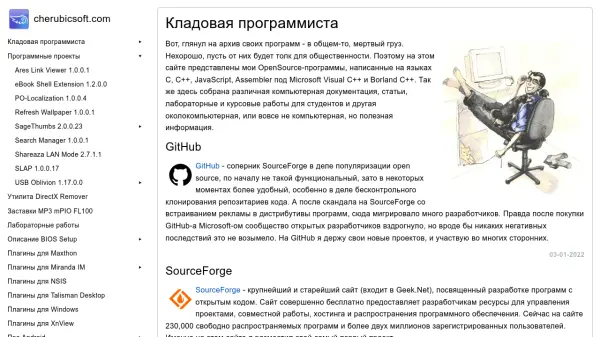
CherubicSoft serves as a repository for open-source software projects developed primarily in C, C++, JavaScript, and Assembler using Microsoft Visual C++ and Borland C++ compilers. The platform hosts various utility programs, plugins, and technical resources aimed at making previously archived code useful to the public.
The website provides access to software projects like SageThumbs, USB Oblivion, and various plugins for applications such as Maxthon, Miranda IM, and XnView. It also includes technical documentation, articles, laboratory works, and course materials for students, covering topics from BIOS setup descriptions to AndroidManifest.xml format details.
Features
- Open-source Software Repository: Hosts various utility programs and plugins
- Technical Documentation: Includes BIOS setup guides and Android development resources
- Developer Resources: Provides articles, laboratory works, and course materials
- Multi-language Support: Projects developed in C, C++, JavaScript, and Assembler
- Plugin Collection: Offers plugins for applications like Maxthon, Miranda IM, and XnView
Use Cases
- Accessing open-source utility programs for Windows systems
- Finding technical documentation for BIOS setup and configuration
- Downloading plugins for various desktop applications
- Accessing educational materials for programming students
- Exploring Android development resources and file formats