
What is Open Source Software Directory?
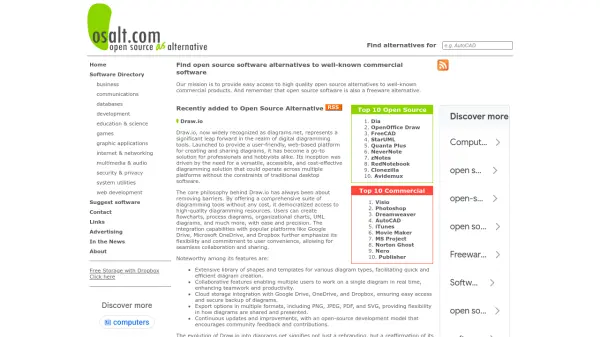
The Open Source Software Directory serves as a centralized hub for finding and exploring open source and free software solutions. It offers an extensive collection of applications, each categorized to help users quickly identify tools relevant to their needs, whether for personal, business, or development purposes. The directory includes detailed descriptions and licensing information for each software entry, facilitating informed decision-making.
Users can browse through categories such as business, development, and home utilities to discover software that enhances productivity, security, and functionality. The platform is designed to be user-friendly, with a focus on providing up-to-date listings and easy navigation. It supports cross-platform compatibility for many applications, ensuring accessibility across different operating systems.
Features
- Software Directory: Comprehensive collection of open source and free software applications
- Categorization: Organized listings for business, development, and home user needs
- Cross-Platform Support: Many applications compatible with multiple operating systems
- Detailed Descriptions: Includes licensing information and functionality overviews for each software
- User-Friendly Navigation: Easy browsing and search capabilities for finding relevant tools
Use Cases
- Finding open source software for business intelligence and enterprise management
- Discovering development tools for web frameworks and API building
- Locating free utilities for home users, such as file management and audio conversion
- Exploring network management and server administration software for IT professionals
- Accessing website builders and design tools for developers and designers
FAQs
-
What types of software are listed in the Open Source Software Directory?
The directory includes a wide range of open source and free software applications, categorized for business, development, and home use, with detailed descriptions and licensing information. -
Is the Open Source Software Directory free to use?
Yes, the directory is completely free to access and browse for finding open source and free software. -
Can I find cross-platform software in the directory?
Yes, many applications listed in the directory support cross-platform compatibility, allowing use on various operating systems. -
How is the software categorized in the directory?
Software is organized into categories such as business, development, and home users, with subcategories for easier navigation and discovery. -
Does the directory provide licensing details for the software?
Yes, each software entry includes licensing information, such as MIT, AGPL, or Apache, to help users understand usage terms.