What is Checkout Page?
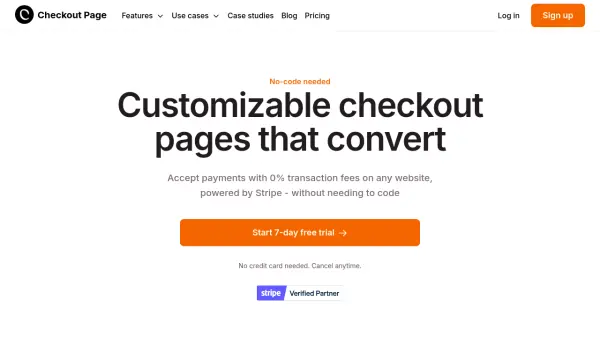
Checkout Page empowers businesses to design and deploy fully branded checkout pages that are tailored to their needs—without writing any code. The tool provides merchants with flexible options for accepting payments, including one-time transactions, subscriptions, payment plans, and even 'pay what you want' pricing models. Built on Stripe, Checkout Page ensures global payment support and extensive security standards, making it easy to accept payments securely from anywhere in the world.
With advanced features like upsells, order bumps, sales funnels, and conditional logic, users can maximize their average order value and streamline the purchasing process. The tool is designed to be accessible to founders, marketers, and small business owners, integrating seamlessly with existing websites, marketing stacks, and supporting conversion and UTM tracking. Its ease of use, combined with robust customization and integration capabilities, allows businesses to quickly launch high-converting checkout experiences and efficiently scale their online sales.
Features
- No-Code Page Builder: Create branded and customizable checkout pages without coding.
- Custom Checkout Experiences: Tailor layout, branding, and custom fields to match your site.
- Multi-Payment Options: Supports one-time payments, subscriptions, payment plans, and flexible models.
- Sales Funnels & Upsells: Increase revenue with order bumps and one-click upsell features.
- Conditional Logic: Show or hide options based on customer selections for personalized journeys.
- Wide Payment Support: Accept cards, Apple Pay, Google Pay, buy now pay later, bank debits, and more.
- Global & Secure Payments: Built on Stripe with multi-currency, global support, and secure encryption.
- Integrations: Connect with tools like Google Sheets, Zapier, and webhooks for automation.
- Conversion Tracking: Built-in tracking pixel and UTM tracking for campaign performance.
- 0% Transaction Fees: Sell online with transparent, flat pricing and no transaction-based charges.
Use Cases
- Selling digital products such as courses, ebooks, or memberships.
- Managing event ticket sales without per-ticket fees.
- Setting up subscription and membership billing for recurring revenue.
- Offering payment plans or installment payment options.
- Launching custom sales funnels with upsell and cross-sell opportunities.
- Accepting manual payments like invoices, deposits, and cash on delivery.
- Collecting donations or running 'pay what you want' campaigns.
- Capturing leads and customer feedback through online forms.
FAQs
-
Can I use Checkout Page without a Stripe account?
A Stripe account is required to process payments using Checkout Page. -
Can I add Checkout Page to my existing website or CMS?
Yes, Checkout Page can integrate seamlessly with your existing website or content management system. -
Is a website required to use Checkout Page?
No, a website is not required; you can use payment links or standalone checkout pages. -
Is Checkout Page mobile-friendly?
Yes, all checkout pages created with Checkout Page are optimized for mobile devices. -
What payment methods and currencies does Checkout Page support?
Checkout Page supports credit/debit cards, Apple Pay, Google Pay, various 'buy now, pay later' services, bank debits, and supports multiple currencies through Stripe.