Chat with Docs favicon

Chat with Docs
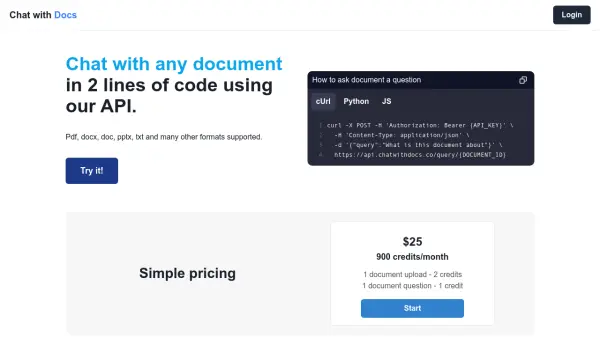
Chat with any document in 2 lines of code.

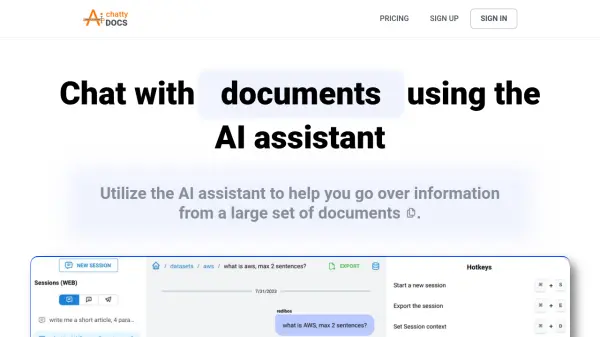
What is Chat with Docs?

Chat with Docs provides a streamlined API that allows users to interact with documents programmatically. The service supports a wide array of document formats, including PDF, DOCX, DOC, PPTX, and TXT. Integration is simplified to require only two lines of code.

The API enables querying documents with specific questions, facilitating efficient information retrieval. This functionality is designed for developers seeking to incorporate document interaction capabilities into their applications.

Features

  • Document Compatibility: Supports PDF, DOCX, DOC, PPTX, and TXT formats.
  • Simple Integration: Integrate with just two lines of code.
  • API Access: Query documents using a dedicated API endpoint.
  • Multiple Language Support: cUrl, Python, and JavaScript code examples are readily available.

Use Cases

  • Integrating document Q&A into applications.
  • Automated document analysis.
  • Building custom document chatbots.
  • Creating interactive documentation systems.

Helpful for people in the following professions

Related Tools:

Blogs:

  • AI thumbnail maker tools

    AI thumbnail maker tools

    Automatically generate visually appealing and optimized thumbnails for various digital content, streamlining the design process and enhancing visual engagement

  • Long Videos into Viral Shorts

    Long Videos into Viral Shorts

    Klap.app is an AI-powered video editing tool that transforms long-form videos into engaging short clips optimized for platforms like TikTok, Instagram Reels, and YouTube Shorts

  • Top 6 AI note-taking tools for 2026: in-person, online, and hybrid use cases

    Top 6 AI note-taking tools for 2026: in-person, online, and hybrid use cases

    Most AI note-taking lists are really lists of meeting bots, which join your video call and transcribe it. That's useful, but it's half the picture. Decisions happen in hallway conversations, client dinners, on-site visits, and hybrid rooms where nobody is on a video link. This guide covers different parts of the note-taking workflow: hardware capture for in-person settings, platform-native tools for online calls, and AI layers for organizing and synthesizing what you've captured. It compares six tools by capture context, workflow fit, pricing, and limitations.

Didn't find tool you were looking for?

Be as detailed as possible for better results