What is Cavya?
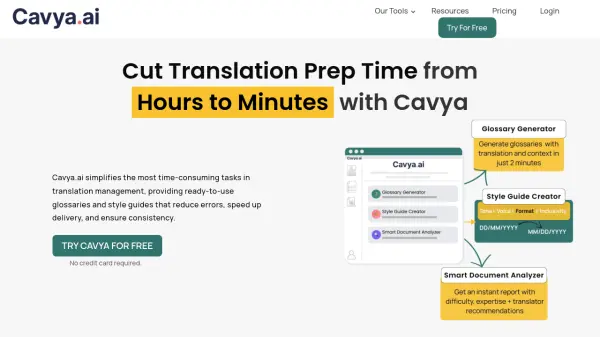
Cavya is an AI-powered translation management platform designed to streamline the most time-consuming aspects of translation preparation. The tool automates the extraction of technical terms, company names, product names, and acronyms from documents, generating comprehensive glossaries with context-rich definitions and multilingual translations across 120+ languages simultaneously.
The platform also creates professional style guides tailored to document type, audience, and target language, covering tone, terminology, inclusivity, punctuation, and formatting rules. Its smart document analyzer provides structured insights into language complexity, content type, and potential risks, recommending ideal translator profiles and workflow guidance. Cavya supports bulk uploads of multiple file formats and maintains end-to-end encryption with zero AI training on user data, ensuring complete security and NDA compliance.
Features
- Glossary Generator: Extracts terms from documents with context and multilingual translations across 120+ languages
- Style Guide Creator: Auto-generates comprehensive style guides covering tone, terminology, and formatting rules
- Smart Document Analyzer: Provides structured analysis of document complexity, content type, and risk factors
- Bulk Upload Support: Handles multiple files simultaneously in various formats including docx, pdf, and json
- Security Features: End-to-end encryption with zero AI training on user data for NDA compliance
- Flexible Pricing: Pay-as-you-go credit system with no subscriptions or expiration dates
Use Cases
- Creating translation glossaries for technical documents and manuals
- Generating style guides for consistent brand voice across multilingual content
- Analyzing document complexity to assign appropriate translators and workflows
- Preparing localization projects for marketing materials and sales proposals
- Managing translation projects with consistent terminology and reduced setup time
FAQs
-
What file formats does Cavya support?
Cavya supports 15+ common file formats including .docx, .pdf, .ppt, .txt, .csv, .xlsx, .json, .xml, .srt, .xliff, .xlf, .po, and more for glossary generation. -
Does Cavya support non-English source documents?
Yes, Cavya supports 120+ source document languages for glossary creation and analysis. -
Can I generate glossaries for multiple target languages simultaneously?
Yes, Cavya allows creation of glossaries with translations for multiple languages at the same time. -
Is Cavya suitable for highly technical content?
Yes, Cavya is built to handle technical content including patents, medical manuals, and technical documents with accurate extraction of domain-specific terms. -
Can I share generated documents with my translation team?
Yes, you can download glossaries and style guides in Word and CSV formats to share directly with your translation team.