What is CarbonFin Outliner?
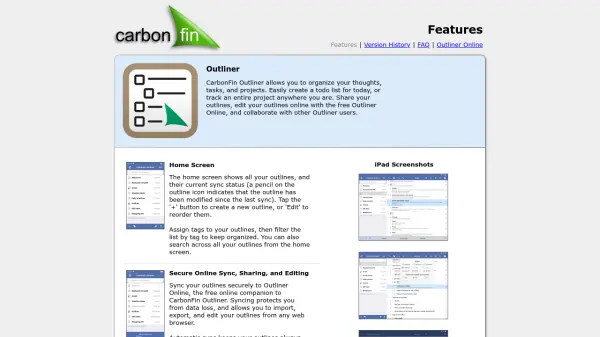
CarbonFin Outliner is a powerful tool designed for organizing thoughts, tasks, and projects in structured outlines. Users can easily create and manage to-do lists, track project progress, and organize information in customizable, hierarchical formats. Through seamless and secure syncing with its free Outliner Online companion, users can access, edit, share, and collaborate on outlines from any web browser, ensuring their information is always up-to-date and protected from data loss.
Featuring a full-featured editor, CarbonFin Outliner supports inline editing, search, dark mode, drag-and-drop reordering, and import/export via OPML and plain text. The platform facilitates collaborative work by allowing outlines to be shared with other users and published via public URLs. Integration with OneDrive and Dropbox enables convenient syncing and backup, making it an ideal solution for both personal productivity and team-based project management.
Features
- Secure Online Sync: Sync outlines with Outliner Online for data protection and ubiquitous access.
- Collaborative Editing: Share and edit outlines with other users for team productivity.
- Full-Featured Editor: Offers inline editing, cut/copy/paste, undo/redo, drag-and-drop reordering, and advanced search.
- Customizable Outlines: Flexible settings per outline, including show/hide checkboxes, notes preview, and numbering options.
- Task and Project Management: Supports hierarchical task lists with completion tracking and progress visualization.
- Cloud Integration: Sync outlines as OPML files with OneDrive and Dropbox.
- Import/Export: Import and export outlines via OPML and plain text formats.
- Dark Mode: Full support for dark mode on iOS devices.
Use Cases
- Managing daily to-do lists and shopping lists.
- Outlining and tracking complex project tasks and subtasks.
- Collaborating on task lists or project plans with team members.
- Organizing notes, research, and brainstorming sessions.
- Synchronizing outlines across mobile and web for continuous access.
- Exporting or importing outlines using industry-standard OPML for interoperability.