What is Calmo?
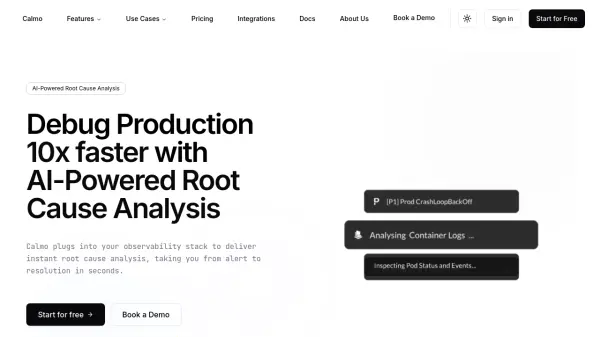
Calmo utilizes Artificial Intelligence to streamline the process of debugging production environments. It connects directly to your existing observability stack, including tools like GitHub, Sentry, CloudWatch, and Datadog, requiring only read-only access. This integration is designed to be quick, typically taking only minutes, and does not necessitate any prior data preparation. The primary goal is to alleviate the overwhelming nature of constant alerts, logs, and dashboards that can often hinder rather than help the debugging process.
By automatically analyzing alerts and incidents as they occur, Calmo provides immediate insights into the root cause of issues. This capability significantly reduces the time engineers spend manually investigating problems, aiming for a tenfold increase in debugging speed. It helps teams transition swiftly from alert notification to problem resolution, thereby minimizing system downtime and mitigating the potential loss of revenue and credibility associated with service interruptions. Calmo delivers actionable suggestions without making any direct modifications to the user's infrastructure.
Features
- AI-Powered Root Cause Analysis: Delivers instant analysis of alerts and incidents to identify the source of problems.
- Observability Stack Integration: Connects seamlessly with tools like GitHub, Sentry, CloudWatch, and Datadog.
- Accelerated Debugging: Aims to reduce production debugging time significantly (claims 10x faster).
- Read-Only Access: Operates securely by only reading data without making direct changes to infrastructure.
- Workspace Integration: Can be added to monitoring and collaboration platforms for streamlined analysis.
- No Data Prep Required: Integrates quickly without needing prior data preparation.
Use Cases
- Accelerating incident management processes.
- Debugging complex production issues faster.
- Reducing system downtime and associated costs.
- Investigating problems in legacy codebases.
- Improving overall system reliability and stability.
FAQs
-
How can Calmo benefit my business?
Calmo helps businesses by accelerating issue resolution, significantly reducing system downtime, and minimizing the associated revenue or credibility loss by quickly identifying the root cause of production problems using AI. -
How can I debug production faster with Calmo?
Calmo integrates with your observability tools and employs AI to automatically analyze alerts and incidents, providing root cause insights swiftly, thereby eliminating lengthy manual investigation. -
How secure is Calmo?
Calmo ensures security by operating with read-only access to your infrastructure and does not make any direct changes to your systems. -
Do I need to prepare my data or monitoring tools before I can use Calmo?
No, Calmo integrates with your existing infrastructure within minutes and does not require any data preparation beforehand. -
What integrations does Calmo support?
Calmo supports integrations with common tools like GitHub, Sentry, CloudWatch, and Datadog. Custom integrations are also available for Enterprise plans.