
What is BuddiesHR?
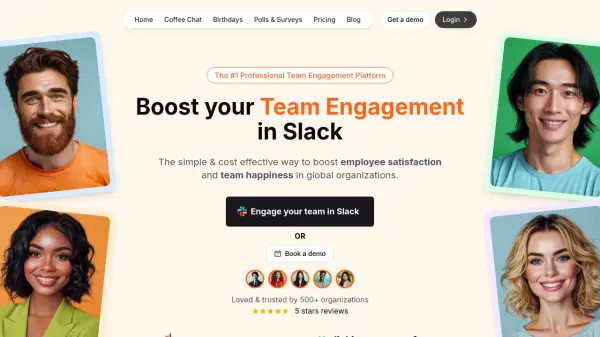
BuddiesHR offers a modular suite of Slack applications that streamline workplace culture management by automating key HR functions directly within the Slack environment. The platform includes apps like Alfy for scheduling coffee chats, Billy for birthday and work anniversary celebrations, Clappy for sending kudos, Pulsy for polls and surveys, Linky for organizational charts, Stany for async standups, and Palmy for vacation tracking.
Built by HR professionals for HR teams and founders, BuddiesHR focuses on simplicity, affordability, and seamless integration with Slack to reduce administrative overhead and foster employee engagement. The tools are designed to strengthen team bonding, boost morale, and improve productivity by making recognition, feedback, and celebrations a daily habit without requiring additional software logins.
Features
- Alfy Matching: Automatically pairs employees for coffee chats to strengthen team bonding
- Billy Birthday: Automates birthday and work anniversary celebrations with customizable messages
- Clappy Kudos: Facilitates sending recognition and appreciation messages among employees
- Pulsy Survey: Enables creation of polls, surveys, and eNPS for gathering employee feedback
- Linky Directory: Maintains up-to-date organizational charts and employee directories
- Stany Standup: Runs asynchronous standup meetings to save time and improve communication
- Palmy Vacation: Streamlines PTO requests and vacation tracking within Slack
- Modular Design: Allows selection of only relevant apps without unnecessary features
- Slack Integration: All apps operate 100% within Slack without requiring external logins
Use Cases
- Automating employee birthday and work anniversary celebrations
- Facilitating peer recognition and kudos programs
- Scheduling random coffee chats to improve team connectivity
- Collecting employee feedback through polls and surveys
- Running asynchronous daily standup meetings
- Maintaining organizational charts for better team visibility
- Streamlining vacation request and PTO management
- Building company culture in remote or hybrid work environments
- Enhancing employee engagement and retention efforts
FAQs
-
What is the cost of BuddiesHR?
BuddiesHR offers a freemium model with a free trial and paid plans starting from $2 per employee per month for access to all apps. -
Does BuddiesHR integrate with other platforms besides Slack?
No, BuddiesHR is specifically designed as a suite of apps that operate 100% within the Slack environment. -
How long does it take to set up BuddiesHR apps?
The setup process takes approximately 2 minutes with video tutorials, live chat support, and documentation available. -
Can I use only specific apps from the BuddiesHR suite?
Yes, BuddiesHR offers a modular design allowing you to choose only the apps relevant to your needs. -
Is there a free trial available?
Yes, BuddiesHR offers a 30-day free trial with no credit card required to get started.