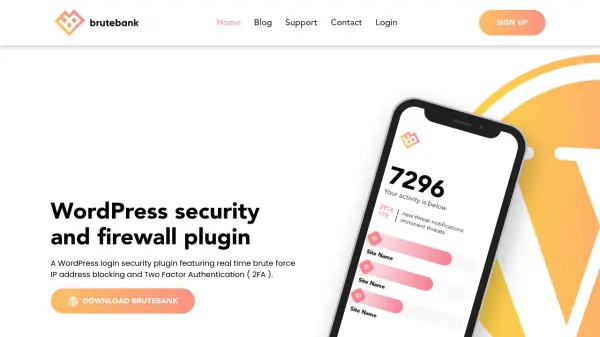
What is BruteBank?
BruteBank is a comprehensive WordPress security solution designed to protect websites from brute force attacks through intelligent monitoring and automated defense mechanisms. The plugin continuously monitors invalid login attempts and password-protected pages, reporting suspicious activities to the cloud for processing and fingerprinting. This real-time analysis enables immediate threat detection and response.
The system features a mobile app that allows users to receive push notifications about potential threats and block attacking IP addresses with simple swipe gestures. Administrators can block specific addresses, entire countries, or user-targeted attacks directly from the app. BruteBank also includes XML-RPC API blocking capabilities and two-factor authentication management, providing layered security for WordPress sites of all sizes.
Features
- Real-Time Login Monitoring: Continuously tracks invalid WordPress login attempts and password-protected page access
- Mobile App Alerts: Provides push notifications and allows blocking of IP addresses by country or specific users with swipe gestures
- Instant Firewall Blocks: Automatically imports blocked threats from the app to the WordPress plugin for immediate protection
- XML-RPC Blocking: Disables the XML-RPC API to prevent brute force attacks through this WordPress feature
- Two-Factor Authentication: Manages admin access with 2FA approval/denial directly from the mobile app
Use Cases
- Protecting WordPress websites from brute force login attempts
- Monitoring and blocking suspicious IP addresses in real-time
- Implementing two-factor authentication for WordPress admin access
- Securing multiple WordPress sites from a centralized dashboard
- Preventing unauthorized access through XML-RPC vulnerabilities
FAQs
-
How does BruteBank detect brute force attacks?
BruteBank monitors invalid WordPress login attempts and password-protected page access in real-time, reporting these activities to the cloud for processing and fingerprinting to identify attack patterns. -
Can BruteBank protect multiple WordPress sites?
Yes, BruteBank offers plans that support protecting multiple servers or WordPress sites, ranging from 1 to 20 sites depending on the subscription tier selected. -
What happens when BruteBank blocks an attacker?
When an attacker is blocked through the mobile app, the BruteBank WordPress plugin instantly imports the block, and any further attempts by that attacker result in a 403 forbidden message. -
Does BruteBank offer a free trial?
Yes, BruteBank offers a 30-day free trial for users to test the security features before committing to a subscription plan.