What is BotPath?
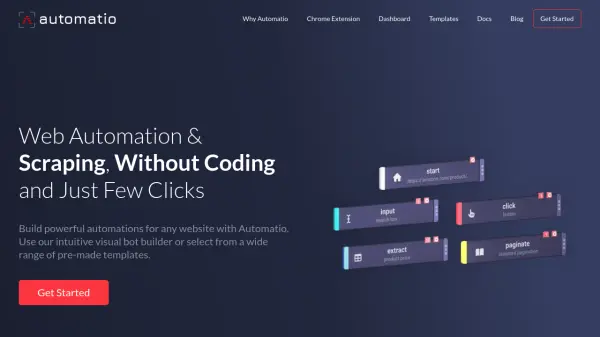
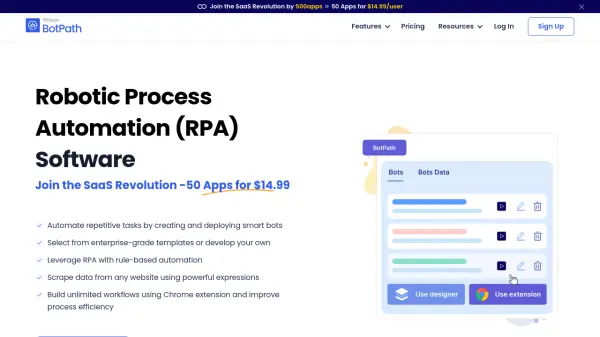
BotPath empowers organizations to increase efficiency by automating redundant processes and workflows through advanced robotic process automation. With its intuitive visual builder, users can create custom bots and implement automation strategies without any coding knowledge. The platform supports web data extraction, workflow recording, and seamless management of business operations, enabling teams to optimize time and resources.
BotPath offers a variety of features, including task capture, workflow management, and a Chrome extension for automations directly in the browser. The tool is scalable, allowing users to build unlimited automation workflows, utilize ready-to-use templates, and centralize data management. BotPath is part of the 500apps Infinity Suite, providing access to a wide range of integrated business software at an affordable monthly subscription, optimizing productivity for businesses of all sizes.
Features
- Visual Builder: Design and deploy custom automations intuitively.
- Bot Builder: Create intelligent bots for specific operational needs.
- Workflow Automation: Streamline business processes with automated workflows.
- Task Capture: Record and replicate workflows effortlessly.
- Data Management: Centralize and manage web data securely.
- Templates: Use customizable templates for quick automation setup.
- Chrome Extension: Automate browser-based tasks and data extraction.
- LinkedIn Scraper: Extract lead data and email addresses from LinkedIn profiles.
- Response Capture: Store and share process responses across teams.
- Rule-Based Automation: Implement conditional logic for precision automation.
Use Cases
- Automating repetitive business tasks to enhance team productivity
- Extracting and managing data from websites for market research
- Recording and standardizing workflows for process optimization
- Generating sales leads with LinkedIn data scraping
- Coordinating business processes across teams with automated workflows
- Centralizing and securing business-critical data for process automations
- Improving compliance through workflow and process recording
- Reducing manual errors by implementing rule-based automation
FAQs
-
What is BotPath?
BotPath is a robotic process automation (RPA) tool that helps automate redundant business processes, enabling organizations to streamline workflows, manage tasks, and extract web data efficiently. -
Is my and my users' data safe?
Yes, all data is stored on a secure cloud-based server with 128-bit encryption and is not shared with any third parties. -
Can I cancel or upgrade my subscription at any time?
Yes, subscriptions can be canceled at any time without any long-term commitments. Upgrades are also available if needed. -
Does BotPath offer any uptime guarantee?
BotPath is hosted on Google and Amazon cloud services and provides a 99.99% uptime guarantee. -
Will my subscription be renewed automatically?
Yes, both monthly and annual subscriptions are renewed automatically unless canceled.