
What is Bevelify?
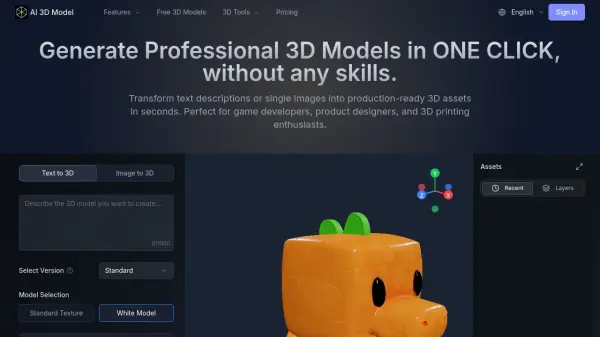
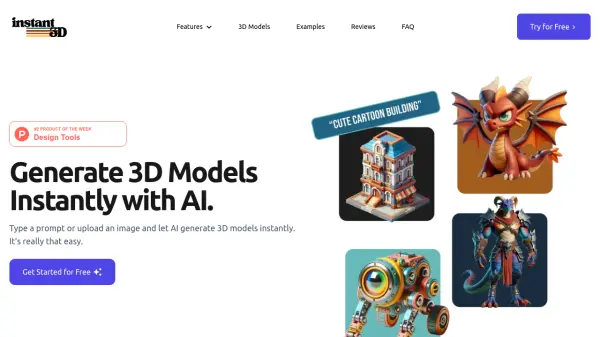
Bevelify offers an AI-driven solution for creating 3D models effortlessly. Users can generate detailed 3D assets by providing either text prompts or uploading reference images. The platform is designed for ease of use, requiring no prior 3D modeling experience, making it accessible for various creative projects. It leverages advanced artificial intelligence to produce high-quality models and textures within minutes, streamlining the 3D creation workflow significantly.
The service caters to professionals like 3D artists and game developers, as well as hobbyists interested in 3D printing. It offers different polycount options (Low, Medium, High: 3K, 20K, 30K, 100K) and texture sizes (Low, Normal, HD, FHD) depending on the plan. Assets generated under paid plans are private and owned by the customer, while free plan assets fall under a CC BY 4.0 license.
The service caters to professionals like 3D artists and game developers, as well as hobbyists interested in 3D printing. It offers different polycount options (Low, Medium, High: 3K, 20K, 30K, 100K) and texture sizes (Low, Normal, HD, FHD) depending on the plan. Assets generated under paid plans are private and owned by the customer, while free plan assets fall under a CC BY 4.0 license.
Features
- Text to 3D Generation: Create 3D models from textual descriptions.
- Image to 3D Generation: Convert 2D images into 3D models.
- Variable Polycount Options: Choose from Low, Medium, and High polycounts (3K, 20K, 30K, 100K).
- Multiple Texture Sizes: Select Low, Normal, HD, or FHD texture resolution.
- Fast Generation Speed: Creates 3D models typically within 15-25 seconds.
- Credit-Based System: Use credits for generation tasks (20 credits per task).
- Tiered Priority Queue: Different subscription plans offer varying levels of queue priority.
- Asset Ownership Control: Paid plans grant private ownership, free plan uses CC BY 4.0.
Use Cases
- Generating 3D assets for game development.
- Creating models for 3D artists and digital art projects.
- Designing objects for 3D printing enthusiasts.
- Rapid prototyping of 3D concepts from text or images.
- Streamlining 3D modeling workflows for studios and individuals.
FAQs
-
How long does a 3D model generation take?
Creating a 3D model usually takes between 15 to 25 seconds, though the exact time may vary depending on the complexity of your request and server load. -
How many credits are required per task?
For Image to 3D and Text to 3D generation, each task costs 20 credits. -
Can I use my generated assets for commercial projects?
Yes. Under paid plans, you own the assets you create, provided you use non-copyright infringing materials. Assets created on the free plan are licensed under CC BY 4.0. -
How do credits work on Bevelify?
Credits are used as internal currency to pay for services like 3D model generation. Users can spend credits to generate models or tip others' work. -
Can I receive free credits?
Yes, free users get 100 credits monthly, resetting on the 1st of each month. Additional credits can be earned through community sharing, Discord posts, and friend referrals.