What is Banger.Show?
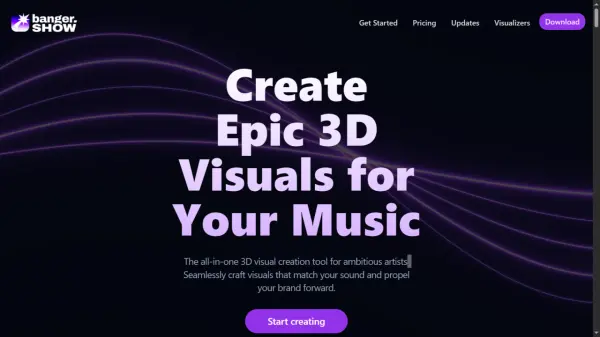
Banger.Show is a comprehensive 3D visual creation tool tailored for ambitious artists and music producers. It combines 3D and video editing capabilities, allowing users to seamlessly craft visuals that synchronize with their music. The platform supports importing 3D models, videos, and images, converting them into 3D objects with intuitive controls.
Banger.Show offers a variety of music visualizers and elements that automatically sync to the frequency and beat of the music. Users can customize scenes with ambient settings, lights, and HDR environments, as well as apply post-processing effects. The tool enables the creation of shareable projects and offers integrations with platforms like Sketchfab and Pexels for additional creative resources.
Features
- 3D Models: Import models from your device or choose from the Sketchfab library.
- Videos and Images: Files are automatically turned into 3D objects with intuitive controls.
- Music-Synced Elements: Visual elements are automatically synced to the frequency and beat of the music.
- Music Visualizers: Variety of music visualizers with customizable and automatable parameters.
- Camera Controls: Control the camera position and rotation; animate camera movements using keyframes.
- Ambient Settings: Customize the scene by adding lights and HDR environments.
- Shareable Projects: Share your projects with a link.
- Effects: Apply post-processing effects like bloom, hue and saturation, VHS, and more.
- HDR Videos: Create high contrast and vibrant color videos.
- Templates: Create stunning videos in minutes without any design skills.
Use Cases
- Creating official music visualizers for YouTube.
- Developing promotional content for social media platforms.
- Designing Spotify Canvases.
- Teasing upcoming music releases to audiences.
FAQs
-
How often are new features and visual effects added?
We're trying to ship new features and improvements monthly. Sometimes a bit more often, sometimes a bit less. We announce new stuff on our Updates page. -
Are there tutorials available for beginners?
Check out our YouTube channel for tutorials and tips on how to use the app. The app is growing so fast that sometimes it's hard to keep up with the tutorials, so please join our Discord community and ask for help there. -
Is it possible to collaborate with others on a project?
Real-time collaboration is not supported yet, but you can share your project with others by clicking on the "Share" button and copying the link. People with the link can view your project or duplicate it to their projects. -
Is there a limit to the length of videos I can create?
Yes, you can create videos up to 10 minutes. -
Can I use it for video editing and non-3D tasks?
Yes and no: you can crop and move your videos around, add text and images, but the main focus of the app is to make videos with music playing in the background, synced with the visuals. 1. Only one audio track is supported. 2. The sound in imported videos is muted.