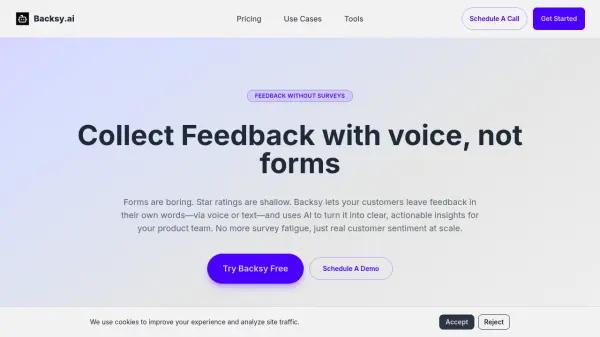
What is Backsy.ai?
Backsy.ai is an AI-powered customer feedback analysis platform designed to transform unstructured feedback into clear, actionable insights. The tool allows users to collect feedback via voice or text, eliminating the need for traditional surveys and forms. It automatically scores feedback against user-defined attributes like Design, Speed, or Support, providing quantitative metrics with transparent evidence.
Users can upload existing feedback from CSV files or collect new feedback through shared links. The AI identifies emerging themes and suggests new attributes when patterns repeat across feedback. Backsy.ai enables tracking of trends over time, helping teams prioritize issues and measure the impact of product changes efficiently.
Features
- Feedback Collection: Collect feedback via voice or text inputs without traditional surveys
- AI Analysis: Automatically scores feedback against user-defined attributes like Design or Support
- Transparent Evidence: Click any attribute score to see exact quotes that influenced it
- Theme Discovery: AI suggests new attributes when themes repeat across feedback
- Trend Tracking: Monitor attribute scores over time with visual charts and deltas
- File Upload: Import CSV files from surveys, support tools, or other sources
Use Cases
- Analyzing customer survey responses for product improvement
- Processing support ticket transcripts to identify common issues
- Collecting restaurant customer feedback via voice at tables
- Aggregating stakeholder feedback for consulting reports
- Tracking UX research interview themes and patterns
- Measuring product feature impact on customer satisfaction
FAQs
-
What file formats can I upload for analysis?
Currently CSV files. Export from Google Forms, Typeform, Intercom, Zendesk, or any survey/support tool, and Backsy will automatically detect which columns contain feedback text. -
How does the AI ensure scoring accuracy?
Every attribute score shows you the exact feedback quotes that influenced it—positive, negative, and neutral. Click any score to verify the AI's work and see the evidence. If something looks off, you can see exactly which feedback contributed. -
Can I track changes in feedback over time?
Yes. Upload new feedback batches or collect via your feedback link, and Backsy tracks attribute trends with deltas—showing you which scores improved or declined and why. -
What if I have thousands of feedback items to analyze?
Backsy is currently optimized for batches of 100-500 items. For larger volumes, we recommend uploading in batches and analyzing over time. Enterprise-scale batching is on the roadmap.