AudioPal favicon

AudioPal
Click. Speak. Communicate.

What is AudioPal?

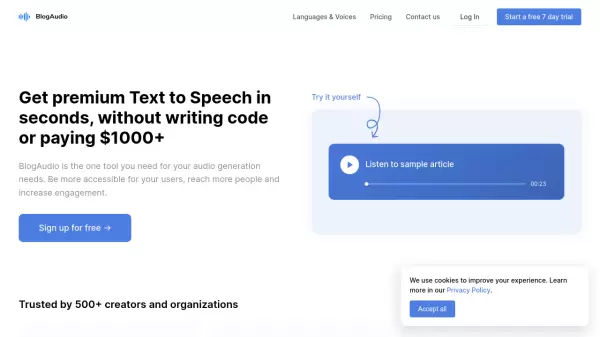
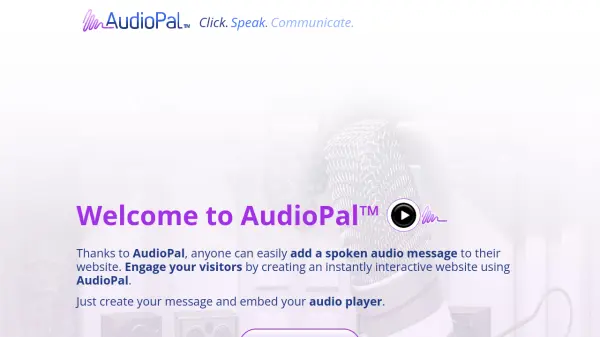
AudioPal allows users to easily integrate spoken audio messages into their websites. This tool enhances website interactivity and visitor engagement. Users can create audio messages through three methods: recording their own voice, utilizing the built-in Text-to-Speech (TTS) technology with over 25 languages and 100+ voices, or uploading pre-existing MP3 audio files.

AudioPal provides a small, sleek audio player that can be embedded on any website. The service is completely free, requires no sign-up, and does not necessitate any hosting.

Features

  • Record Own Voice: Allows users to record their own spoken messages directly.
  • Text-to-Speech (TTS): Utilizes TTS technology with support for over 25 languages and 100+ voices.
  • MP3 Upload: Supports uploading pre-existing MP3 audio files.
  • Sleek Player: Provides a small, aesthetically pleasing player for website embedding.
  • Universal Embedding: Enables embedding the audio player on any website.

Use Cases

  • Adding welcome messages to websites.
  • Providing audio instructions or guidance on web pages.
  • Creating interactive website elements with spoken audio.
  • Enhancing website accessibility with audio content.

FAQs

  • What's the catch with it being absolutely free?
    The provided text does not elaborate on the reason why the service is free. It only mentions, "It's absolutely FREE! (what's the catch?)."

Related Queries

Helpful for people in the following professions

Related Tools:

Blogs:

  • Top 6 AI note-taking tools for 2026: in-person, online, and hybrid use cases

    Top 6 AI note-taking tools for 2026: in-person, online, and hybrid use cases

    Most AI note-taking lists are really lists of meeting bots, which join your video call and transcribe it. That's useful, but it's half the picture. Decisions happen in hallway conversations, client dinners, on-site visits, and hybrid rooms where nobody is on a video link. This guide covers different parts of the note-taking workflow: hardware capture for in-person settings, platform-native tools for online calls, and AI layers for organizing and synthesizing what you've captured. It compares six tools by capture context, workflow fit, pricing, and limitations.

  • Top AI tools for Teachers

    Top AI tools for Teachers

    Explore the top AI tools designed for teachers, revolutionizing the education landscape. These innovative tools leverage artificial intelligence to enhance teaching efficiency, personalize learning experiences, automate administrative tasks, and provide valuable insights, empowering educators to create engaging and effective educational environments.

Didn't find tool you were looking for?

Be as detailed as possible for better results