AskUI favicon

AskUI
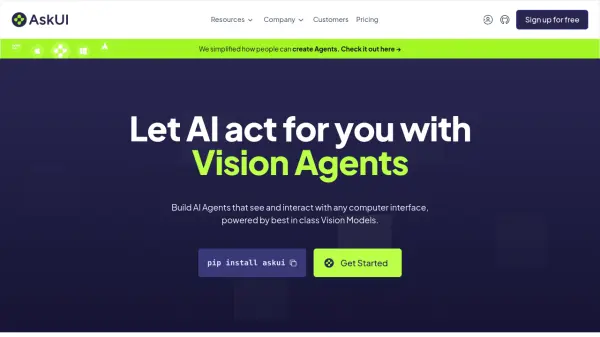
Let AI Act for You with Vision Agents

What is AskUI?

AskUI provides Vision Agents that enable AI to see and interact with any computer interface. Powered by the leading prompt-to-action model, PTA-1, AskUI allows users to automate tasks on Windows, MacOS, Linux, iOS, and Android operating systems.

The platform integrates seamlessly with various tools, including Jira, Xray, Jenkins, Gitlab, Azure, Github, Email, PDF, Excel, Sharepoint and FTP Server, making it a versatile solution for diverse automation needs.

Features

  • Desktop Automation: Automate tasks on Windows, MacOS, or Linux.
  • Mobile Automation: Automate tasks on iOS or Android devices without jailbreaking.
  • Visual Testing: Test visual appearance and rendering.
  • Document and Data Processing: Build workflows for document or data extraction.
  • Prompt-to-Action Model: Powered by PTA-1, a leading prompt-to-action model.
  • Integrations: Works with Jira, Xray, Jenkins, Gitlab, Azure, Github, Email, PDF, Excel, and more.

Use Cases

  • Desktop Automation
  • Mobile Automation
  • Visual Testing
  • Document and Data Processing

FAQs

  • What operating systems does AskUI support?
    AskUI supports Windows, MacOS, Linux, iOS, and Android operating systems.
  • What integrations are available with AskUI?
    AskUI integrates with tools like Jira, Xray, Jenkins, Gitlab, Azure, Github, Email, PDF, Excel, and Sharepoint, among others.

Helpful for people in the following professions

Related Tools:

Blogs:

  • Best Content Automation AI tools

    Best Content Automation AI tools

    Streamline your content creation process, enhance productivity, and elevate the quality of your output effortlessly. Harness the power of cutting-edge automation technology for unparalleled results

  • Ghibli Art Generator AI tools

    Ghibli Art Generator AI tools

    List of the best AI tools to turn your photos into images that look like Studio Ghibli movies. Easy to use and fun for everyone.

  • Top 6 AI note-taking tools for 2026: in-person, online, and hybrid use cases

    Top 6 AI note-taking tools for 2026: in-person, online, and hybrid use cases

    Most AI note-taking lists are really lists of meeting bots, which join your video call and transcribe it. That's useful, but it's half the picture. Decisions happen in hallway conversations, client dinners, on-site visits, and hybrid rooms where nobody is on a video link. This guide covers different parts of the note-taking workflow: hardware capture for in-person settings, platform-native tools for online calls, and AI layers for organizing and synthesizing what you've captured. It compares six tools by capture context, workflow fit, pricing, and limitations.

Didn't find tool you were looking for?

Be as detailed as possible for better results