APS Member Services
Secure member portal for accessing personalized services

What is APS Member Services?

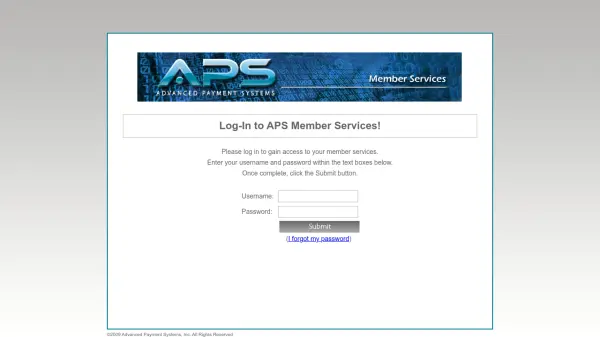
APS Member Services provides a secure online platform for members to access their account information and personalized services. The portal requires authentication through username and password credentials to ensure data protection and privacy.

Members can log in to the system by entering their credentials in the designated text boxes and submitting them for verification. The platform includes password recovery functionality for users who have forgotten their login information.

Features

  • Secure Authentication: Requires username and password for protected access
  • Password Recovery: Includes functionality for users who have forgotten their passwords
  • Member Services Access: Provides personalized account services after successful login

Use Cases

  • Accessing member account information
  • Managing personal account settings
  • Recovering forgotten login credentials

Helpful for people in the following professions

Related Tools:

Blogs:

  • Top AI tools for Students

    Top AI tools for Students

    These AI tools are designed to enhance the learning experience for students. From personalized study plans to intelligent tutoring systems.

  • Best AI tools for Product Photography

    Best AI tools for Product Photography

    Explore top AI tools that can elevate your product photography, helping you enhance images, streamline workflows, and create professional visuals with ease.

  • Best ai tools for Twitter Growth

    Best ai tools for Twitter Growth

    The best AI tools for Twitter's growth are designed to enhance user engagement, increase followers, and optimize content strategy on the platform. These tools utilize artificial intelligence algorithms to analyze Twitter trends, identify relevant hashtags, suggest optimal posting times, and even curate personalized content.

  • Top 6 AI note-taking tools for 2026: in-person, online, and hybrid use cases

    Top 6 AI note-taking tools for 2026: in-person, online, and hybrid use cases

    Most AI note-taking lists are really lists of meeting bots, which join your video call and transcribe it. That's useful, but it's half the picture. Decisions happen in hallway conversations, client dinners, on-site visits, and hybrid rooms where nobody is on a video link. This guide covers different parts of the note-taking workflow: hardware capture for in-person settings, platform-native tools for online calls, and AI layers for organizing and synthesizing what you've captured. It compares six tools by capture context, workflow fit, pricing, and limitations.

Didn't find tool you were looking for?

Be as detailed as possible for better results