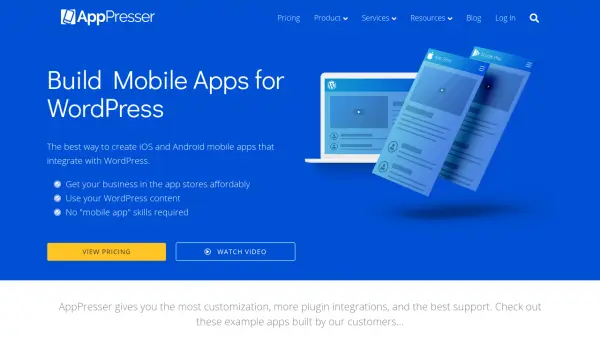


What is AppPresser?
AppPresser provides a platform for building mobile applications that integrate directly with WordPress websites. It offers tools to create iOS and Android apps using WordPress content, with no requirement for mobile app development skills. The platform includes WordPress plugins and a theme designed for mobile app integration, enabling customization and functionality such as push notifications, membership features, WooCommerce support, and more.
Users can build apps for various purposes including e-commerce stores, membership sites, educational platforms, podcasts, and nonprofit organizations. AppPresser supports integration with popular WordPress plugins like WooCommerce, BuddyPress, LearnDash, and others, allowing for extensive customization and feature implementation. The platform also offers support services and development options for those needing additional assistance or custom solutions.
Features
- App Builder: Use a visual customizer to build and design mobile apps
- WordPress Integration: Integrate with WordPress content and plugins like WooCommerce, BuddyPress, and LearnDash
- Push Notifications: Send notifications to devices with advanced features and segmentation
- Customization Options: Extensive customization for app design and functionality
- Support and Updates: Technical support and regular maintenance from the AppPresser team
Use Cases
- Building e-commerce mobile apps for WooCommerce stores
- Creating membership apps for subscription-based websites
- Developing educational apps for LearnDash courses
- Building community apps with BuddyPress integration
- Creating podcast apps for audio content distribution
- Developing nonprofit or school apps for organizations
FAQs
-
Do you offer a free trial?
Yes, all plans come with a 14-day free trial with access to the app builder, and you will be automatically charged after the trial unless canceled. -
Are there any other costs involved?
You must purchase your own Apple and Android developer accounts, which cost $99/year and $25 respectively. -
What happens if I cancel my subscription?
When your subscription expires or is canceled, your app will stop functioning correctly as it requires an active subscription to access the AppPresser account. -
Can I upgrade to another plan?
Yes, you can upgrade at any time, such as from a monthly to a yearly plan or from a Standard to a Professional plan. -
Do you submit apps to the app stores?
Yes, AppPresser submits the app on your behalf in your developer accounts, and you can resubmit after setup.