What is ApisCP?
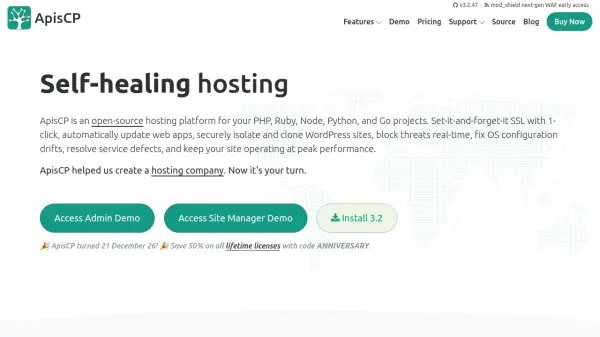
ApisCP is a robust open-source hosting control panel crafted for seamless management of PHP, Ruby, Node, Python, and Go projects. Designed by and for hosting professionals, it delivers comprehensive server automation, real-time threat monitoring, and proactive resource optimization. Users benefit from effortless onboarding, including one-click SSL, automatic web app updates, isolated site management, and scalable resource control—all from a user-friendly interface.
Security remains a central focus, with built-in malware scanning, adaptive firewalls, and account isolation to maintain optimal performance and integrity. ApisCP supports a variety of DNS providers, offers flexible account provisioning, and minimizes the need for manual intervention through intelligent automation. Its modular architecture ensures high throughput, reduced misconfiguration risk, and long-term stability for demanding hosting environments.
Features
- Real-Time Threat Monitoring: Proactively detects and blocks server threats.
- Automatic Web App Updates: Keeps WordPress, Drupal, Ghost, Discourse, and Laravel installations up to date.
- Multi-Tenant Site Management: Isolates accounts and restricts resource use per site.
- One-Click SSL Setup: Integrates Let's Encrypt for secure, easy SSL deployment.
- File Management Panel: Allows file uploads, downloads, and permission management via web interface.
- Flexible DNS Integration: Supports providers like PowerDNS, AWS, Cloudflare, Digital Ocean, Hetzner, Linode, Vultr.
- Adaptive Firewall: Dynamically blocks abusive IPs and malicious traffic.
- Playbook-Driven Automation: Utilizes Ansible playbooks for service provisioning and system integrity checks.
- Malware Scanning: Integrated malware scrubbing to protect hosted sites.
- Resource Enforcement: cgroup-based per-account resource allocation and control.
Use Cases
- Automated management of multiple web hosting accounts on a single server.
- Effortless deployment and updates of PHP, Ruby, Node, Python, and Go web applications.
- Secure hosting for WordPress and other CMS platforms with real-time threat blocking.
- Scaling web hosting operations for agencies or resellers with multi-tenant isolation.
- Rapid migration of sites and DNS settings between different hosting providers.
- Running low-maintenance, high-security servers for SaaS products or client applications.
- Enforcing per-site or per-account resource limits to maintain performance.
FAQs
-
How many sites can ApisCP host?
A single ApisCP server can manage as many sites as server resources permit, though it is recommended to balance site numbers for optimal performance and security. -
What types of web applications are supported for automatic installation and updates?
ApisCP supports one-click installs and automatic updates for applications including WordPress, Drupal, Ghost, Discourse, Laravel, Joomla, and Magento. -
What support options are available for ApisCP users?
Support is provided via free community forums and chat. Paid licenses include a Bronze support request per year, with additional paid support plans for SLA and emergency response. -
Does ApisCP offer DNS provider integration?
Yes, ApisCP supports plug-and-play DNS integration with providers such as PowerDNS, AWS Route53, Cloudflare, Digital Ocean, Hetzner, Katapult, Linode, and Vultr. -
Is a refund policy available?
ApisCP does not provide refunds, but a 30-day free trial is available for evaluation.