What is Animatives?
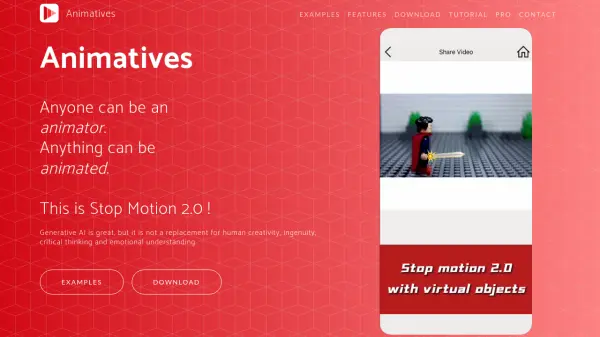
Animatives revolutionizes the concept of stop motion animation by introducing a modern, intuitive approach called 'Stop Motion 2.0'. The platform seamlessly blends real-world objects with virtual elements, enabling users to create dynamic animations through a combination of traditional stop motion techniques and digital enhancements.
The tool features an object-oriented animation system that simplifies the complex concepts of timelines and layers, making it accessible for users of all skill levels. With capabilities ranging from traditional stop motion and timelapse creation to virtual object integration and frame-by-frame control, Animatives provides a comprehensive suite of animation tools while maintaining user-friendly functionality.
Features
- Frame-by-Frame Control: Object-oriented animation with precise editing capabilities
- Mixed Reality Integration: Combination of real and virtual objects in animations
- Flexible Export Options: Support for various aspect ratios and resolution up to 4K
- Resource Integration: Import from multiple sources including cloud storage and web URLs
- Audio Enhancement: Add music, sounds, and voiceovers to animations
- Object Transitions: Apply curve transitions and path drawing for object movements
- Cloud Storage: Store and share projects with Pro+ subscription
- Multiple Format Support: Export as MP4 or GIF formats
Use Cases
- Educational content creation
- Product marketing videos
- Storytelling animations
- Drawing process recordings
- Visual effects addition to videos
- Student assignments
- Interactive learning materials
- Artistic concept visualization
FAQs
-
What platforms is Animatives available on?
Animatives is currently available for iPhone and iPad, with an Android version in development. -
Can I import my own resources into Animatives?
Yes, you can import resources from photos, videos, cloud storage, Files app, and web URLs, as well as use custom fonts and music/sounds. -
What file formats can I export my animations in?
You can export your animations in MP4 or GIF formats, with resolution options up to 4K.