What is AlooChat?
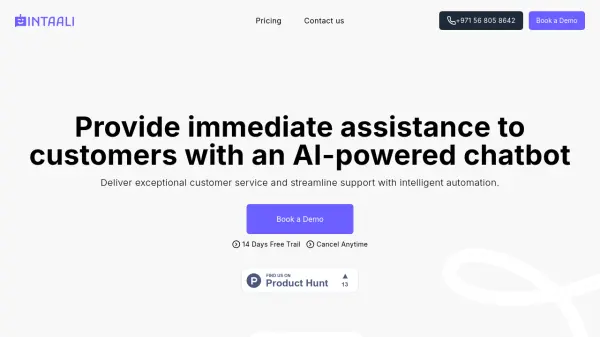
AlooChat provides businesses with an AI-powered customer support solution that creates human-like agents capable of handling customer interactions across multiple channels. The platform allows customization of agent personality, tone, and response behavior to match brand voice, with support for Arabic dialects and English.
Businesses can train AI agents with their specific business information, policies, and FAQs, enabling instant deployment with continuous learning capabilities. The platform includes workflow automation, analytics, and omni-channel management tools to streamline customer support operations and improve response times.
Features
- Custom Voice & Tone: Set agent tone with support for Arabic dialects like Kuwaiti, Saudi, Emerati and English
- Multi Language Support: Auto-detect and respond in Arabic, English, or both languages simultaneously
- Workflow Automation: Create smart response flows using templates or drag-and-drop builder
- Continuous Feedback Loop: Track performance with built-in analytics, live insights, and real-time updates
- Omni-channel Inbox: Manage support interactions from web, phone, email, SMS, WhatsApp and Slack in one place
- AI Training: Train agents with business knowledge including menus, policies, prices and FAQs
Use Cases
- Automating customer support responses for restaurants and food service businesses
- Managing customer inquiries for retail shops and e-commerce platforms
- Handling customer service for flower shops and gift businesses
- Providing multilingual customer support for businesses in MENA region
- Streamlining customer communication across WhatsApp, Instagram, and website channels
FAQs
-
How long does it take to train the AlooChat agent?
Training usually takes just a few minutes. Simply upload your business information, links, or content. The agent immediately starts learning your FAQs, products, services, and company policies. Once the training is complete, it becomes ready to respond right away. -
Can I control the tone and length of the agent's responses?
Yes, you have full control. You can decide whether responses should be short and fast or detailed and explanatory. You can also set the tone to be formal, friendly, playful, serious, or neutral, with support for regional Arabic dialects. -
What happens if the agent gives an incorrect answer?
If the agent responds inaccurately, you can correct it instantly from the dashboard. You can edit its reply, update its knowledge, or refine its behavior. These improvements are applied immediately to future conversations. -
Can the agent support automation like categorizing, task creation, or routing conversations?
Yes, the agent includes full automation capabilities. It can automatically categorize conversations, assign labels, detect customer intent, and route each conversation to the right team member. -
Do I need technical knowledge to activate the agent?
Not at all. AlooChat does not require any coding nor technical skill. AlooChat is designed to be simple and intuitive.