What is AlohaABA?
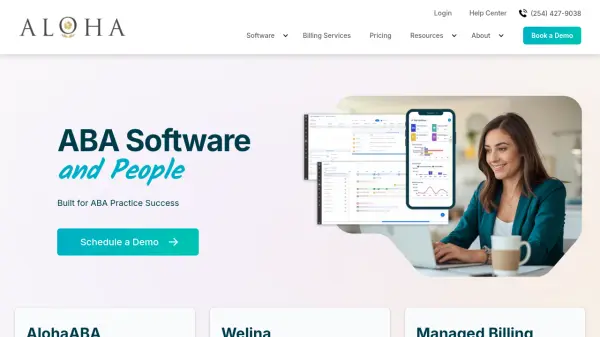
AlohaABA is a specialized practice management platform developed for Applied Behavior Analysis (ABA) therapy providers and behavioral healthcare practitioners. The software integrates multiple operational tools into a single cloud-based system, enabling 24/7 access to client data from desktop or mobile devices. It addresses the unique challenges faced by ABA organizations by combining expertise from BCBAs, RBTs, billing specialists, and software developers with over 25 years of collective industry experience.
The platform streamlines practice management through features including billing and claims management, appointment scheduling, payroll processing, authorization management, accounts receivable tracking, compliance validation, and real-time data collection. AlohaABA's managed billing services provide revenue cycle management support to reduce administrative burden and protect revenue, allowing practitioners to focus more on client care. The system also includes comprehensive reporting and analytics capabilities to deliver data-driven insights for practice growth and operational efficiency.
Features
- Practice Management: Fully integrated platform for billing, scheduling, documentation, workflows, and operational tools
- Data Collection: Real-time session data collection with customizable templates and visualizations
- Managed Billing: Expert-managed revenue cycle management services for ABA-specific billing
- Authorization Management: Tools to manage every aspect of authorizations for ABA therapy
- Accounts Receivable: Smart management of claims tracking and payment processing
- Scheduling: Easy appointment scheduling for practitioners and staff
- Payroll: Software to optimize productivity and process payroll quickly
- Reports & Analytics: Data-driven insights platform for practice growth and success
Use Cases
- Streamlining ABA therapy practice management operations
- Managing insurance claims and revenue cycle for behavioral healthcare
- Collecting real-time session data and generating treatment analytics
- Scheduling appointments and managing practitioner calendars
- Processing payroll for ABA therapy staff and clinicians
- Tracking authorizations and compliance requirements
- Managing accounts receivable and billing processes
- Generating reports for practice growth and operational insights
FAQs
-
How do I get started with AlohaABA?
Our excellent customer service team will always be there to assist you. -
How do I transition from other platforms to AlohaABA?
Our excellent customer service team will always be there to assist you. -
What features are included in the software?
The software includes practice management, billing, scheduling, data collection, payroll, authorization management, accounts receivable, compliance tracking, and reporting features. -
Can startup organizations use AlohaABA?
Yes, the software is designed for organizations of various sizes, including startups. -
Will my data be secure with AlohaABA?
Yes, the platform includes security measures to protect your data.