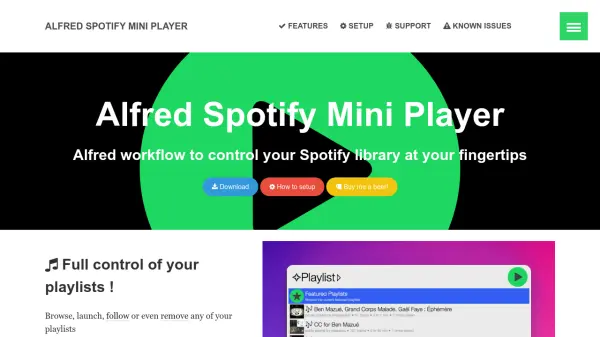
What is Alfred Spotify Mini Player?
Alfred Spotify Mini Player is an Alfred workflow designed to enhance the Spotify experience by integrating full library control into the Alfred App. It allows users to manage their Spotify library efficiently with features like browsing playlists, adding or removing tracks, and searching across tracks, albums, artists, and podcasts. The tool supports Spotify Connect for premium users, enabling seamless playback control across devices.
With capabilities such as fuzzy search, multiple user account switching, and automatic library updates, it streamlines music management. Users can access recent tracks, top artists, and new album releases, while also performing web searches for additional content. The workflow includes themes, notifications, and support for Alfred Remote and hotkeys, making it a versatile tool for personalized Spotify usage.
Features
- Fuzzy Search: Enables fuzzy search for efficient library navigation.
- Spotify Connect: Compatible with Spotify Connect for premium users to control playback across devices.
- Multiple Users: Switch between multiple Spotify accounts seamlessly.
- Playlist Management: Browse, launch, follow, or remove playlists and add/remove tracks.
- Web Search: Search online for tracks, artists, albums, and playlists, with integration to platforms like YouTube.
Use Cases
- Quickly search and play music from your Spotify library without opening the Spotify app.
- Manage playlists by adding or removing tracks and following new playlists directly from Alfred.
- Control Spotify playback across devices using Spotify Connect for a seamless listening experience.
- Access recent tracks, top artists, and new album releases to discover and enjoy music efficiently.
- Use Alfred Remote or hotkeys to control Spotify playback and library management hands-free.
FAQs
-
How do I set up the Alfred Spotify Mini Player workflow?
Follow the setup instructions provided in the workflow documentation to install and configure it with your Spotify account. -
Is the Alfred Spotify Mini Player compatible with Spotify Connect?
Yes, it supports Spotify Connect, but this feature is available only for premium Spotify users. -
Can I switch between multiple Spotify accounts with this tool?
Yes, the workflow allows switching between multiple Spotify accounts for flexible library management. -
Does the Alfred Spotify Mini Player support podcasts?
Yes, it is compatible with podcasts, including shows and episodes, for a comprehensive audio experience. -
What are the known issues with the Alfred Spotify Mini Player?
Refer to the known issues section in the documentation for a list of current limitations and troubleshooting tips.