
What is AlertOps?
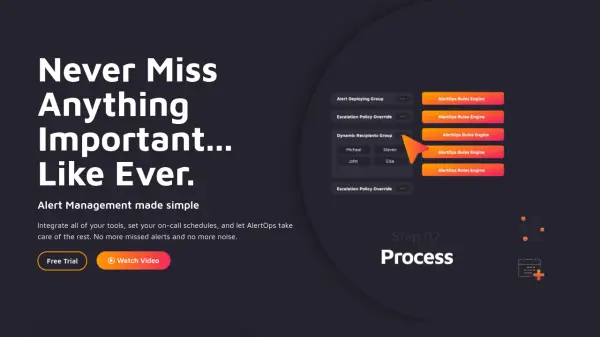
AlertOps empowers businesses with advanced incident management capabilities through AI-powered automation, helping teams respond faster and minimize downtime. The platform integrates with over 200 tools, enabling seamless alert capture, noise reduction, and stakeholder notifications across multiple channels including phone, SMS, and app notifications. Users can customize escalation workflows and on-call schedules, ensuring incidents are routed to the right team members without delay.
Providing rich reporting and analytics, AlertOps helps organizations track performance, generate post-mortem reports, and optimize incident workflows. Its flexible architecture supports enterprise needs, managed service providers, and industries like healthcare, retail, and government. With real-time dashboards, SLA management, and live call routing, AlertOps transforms incident response for modern IT environments.
Features
- AI Noise Reduction: Automatically filters and consolidates duplicate or low-priority alerts to reduce noise.
- On-Call Scheduling: Advanced, customizable schedules for teams, including escalation rules and follow-the-sun capabilities.
- Multi-Channel Notifications: Sends alerts via phone, SMS, mobile app, chat, and email.
- Over 200 Integrations: Seamlessly connects with monitoring, ITSM, and ChatOps tools.
- Automated Escalation Policies: Customizable workflows that escalate incidents based on rules and SLA requirements.
- Live Call Routing: Routes customer calls to the correct on-call person; includes escalation if unanswered.
- Reporting & Analytics: Real-time dashboards and exportable post-mortem and performance reports.
- Rich Alert Details: Supports enriched alerts with attachments, URLs, and custom messages.
- No-Code Workflow Engine: Create automation actions for alert processing without code.
- Role-Based Security: Advanced permissions and roles for scalable team management.
Use Cases
- Automating IT incident response across distributed teams.
- Managing on-call schedules for IT operations and DevOps.
- Reducing alert fatigue in high-volume monitoring environments.
- Providing real-time status updates to stakeholders during major incidents.
- Integrating with ServiceNow, Slack, and other ITSM or ChatOps platforms.
- Ensuring SLA compliance and automated escalation for managed service providers.
- Enabling live call routing for 24/7 customer support.
- Centralizing incident post-mortem reporting and analytics.
FAQs
-
What integrations does AlertOps support?
AlertOps supports over 200 pre-built integrations with monitoring, ITSM, ChatOps tools such as ServiceNow, Slack, O365, and can also integrate with custom in-house applications. -
Can AlertOps help reduce noise from repetitive or low-priority alerts?
Yes, AlertOps leverages AI-based noise reduction to consolidate and filter alerts, ensuring only relevant notifications are sent to on-call teams. -
Is live call routing available for international users?
Yes, AlertOps offers live call routing for both US/Canada and international numbers, with customizable escalation policies. -
Does AlertOps offer dashboards and analytics?
AlertOps provides comprehensive dashboards with real-time insights and allows exporting of detailed post-mortem and incident reports. -
Is there a free trial to test AlertOps features?
Yes, AlertOps offers a free trial so users can experience its automation and management features before subscribing.