What is Airbook?
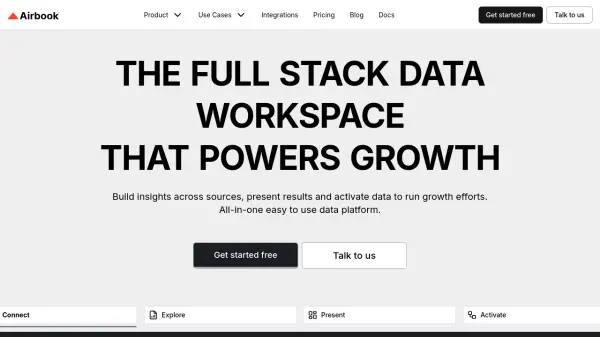
Airbook is an all-in-one data platform designed to streamline the process of data analysis and activation. It offers a unified workspace where users can connect to various data sources, explore and analyze data using SQL or no-code tools, create insightful charts and dashboards, and activate data to drive growth efforts.
The platform is designed for accessibility and security. It supports granular permissions, encryption, and is SOC2 Type 2 certified. Airbook empowers teams to gain comprehensive business insights, collaborate effectively, and turn data into direct actions that drive growth.
Features
- Data Connections: Connect to various business tools, databases, and data warehouses.
- Data Exploration: Query across sources, link them, and uncover actionable insights.
- Cross-Functional BI: Collaborate with teams (GTM, Product, etc.) to get unified insights.
- Growth Activation: Create target audiences and scale personalized experiments.
- BI Dashboards: Effortlessly craft charts and dashboards with SQL or no-code.
- No-code Query Builder: Build queries without writing SQL.
- Data Query Joins: Combine data from different sources.
- Workflow Automation: Automate data workflows.
- Secure & Accessible: Granular permissions, data encryption, and SOC2 Type 2 Certified.
Use Cases
- Building a comprehensive data stack for early-stage companies.
- Scaling data analysis capabilities for growing businesses.
- Creating targeted marketing campaigns.
- Conducting cross-functional business intelligence analysis.
- Streamlining data pipelines.
- Developing interactive data dashboards and reports.
- Uncovering actionable insights from multiple data sources.
- Facilitating team collaboration on data projects.
- Implementing personalized growth experiments.
FAQs
-
What can Analysts do in Airbook?
The content does not specify the capabilities of analyst in airbook. -
What are the capabilities of Editors?
The content does not specify the capabilities of Editors. -
What access do Viewers have?
The content does not specify the capabilities of Viewers. -
What does the 14-day free trial include?
The content does not specify what the 14-day free trial includes. -
Are viewers and editors free?
Yes, viewers and editors are free.