What is AI Translate Formatted?
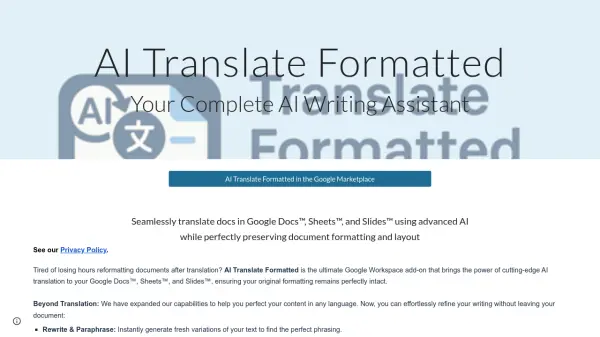
AI Translate Formatted is a comprehensive Google Workspace add-on designed to streamline document translation and editing within Google Docs™, Sheets™, and Slides™. It leverages cutting-edge AI models, including ChatGPT™, Gemini™, and DeepL™ API, to deliver highly accurate and nuanced translations across multiple languages. The tool's standout feature is its ability to maintain the original formatting of documents, ensuring that elements like fonts, colors, spacing, tables, and layouts remain intact during the translation process.
Beyond translation, the add-on offers intelligent editing capabilities to refine content in any language. Users can rewrite and paraphrase text, correct grammar errors, adjust writing style and tone, and expand or compress content as needed. This integration allows for seamless workflow enhancements, enabling immediate use of translated reports, presentations, and spreadsheets without the need for time-consuming reformatting.
Features
- AI-Powered Translation: Uses advanced models like ChatGPT, Gemini, and DeepL API for accurate and nuanced translations across multiple languages
- Format Preservation: Maintains original formatting including fonts, colors, spacing, tables, and layouts in Google Docs, Sheets, and Slides
- Text Editing Tools: Offers rewriting, grammar correction, style adjustment, and content expansion or compression features
- Google Workspace Integration: Seamlessly works within Google Docs, Sheets, and Slides as an add-on
- Multiple Translation Engines: Allows users to choose between ChatGPT, Gemini, and DeepL API for translation needs
Use Cases
- Translating business reports and documents for international teams
- Converting presentations in Google Slides for global audiences
- Localizing spreadsheets and data tables in Google Sheets
- Refining and editing multilingual content without leaving Google Workspace
- Saving time on post-translation formatting cleanup for documents
FAQs
-
What AI models does AI Translate Formatted use for translation?
AI Translate Formatted uses ChatGPT, Gemini, and DeepL API for translation. -
Does AI Translate Formatted preserve document formatting during translation?
Yes, it preserves formatting including fonts, colors, spacing, tables, and layouts in Google Docs, Sheets, and Slides. -
What editing features are available in AI Translate Formatted?
It offers rewriting, grammar correction, style adjustment, and content expansion or compression. -
How is pricing handled for AI Translate Formatted?
It offers a freemium model with a trial, then prepaid usage-based access or subscription with BYO API keys.