

What is Afirstsoft PDF?
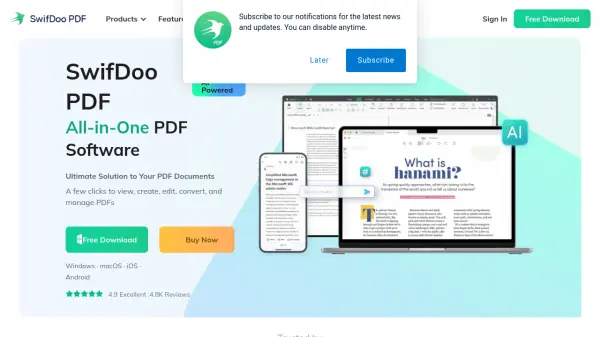
Afirstsoft PDF is a comprehensive software solution designed to streamline PDF management across multiple platforms, including Windows, macOS, iOS, and Android. It empowers users to edit text and images directly within PDFs, similar to a word processor, and provides robust features for annotating documents through highlighting, textboxes, stickers, shapes, and digital signatures. The tool also facilitates organizing PDFs by merging, splitting, rotating, cropping, deleting, extracting, or inserting pages for optimal layout and handling.
Leveraging Artificial Intelligence, Afirstsoft PDF enhances productivity with features like AI-driven summarization to condense lengthy documents and an AI chat function for querying PDF content. Its advanced Optical Character Recognition (OCR) technology converts scanned documents and images into editable, searchable text with multilingual support. The software supports seamless conversion between PDF and various formats such as Microsoft Office files (Word, Excel, PowerPoint) and popular image types (JPG, PNG, etc.), offering batch processing for efficiency. Additionally, it allows for easy PDF creation from different file types and incorporates security measures like password protection, permission settings, and encryption.
Features
- AI Chat: Ask questions based on uploaded PDFs and get quick answers.
- AI PDF Summarization: Condense extensive PDFs into concise summaries.
- Direct PDF Editing: Edit text, images, and links within PDFs like a word processor.
- Advanced Annotation: Highlight, add textboxes, stickers, shapes, and digital signatures.
- OCR Technology: Convert scanned documents and images into editable text with multilingual support.
- Comprehensive Conversion: Convert PDFs to/from Office formats (Word, Excel, PPT) and images (JPG, PNG, etc.).
- PDF Organization: Merge, split, rotate, crop, reorder, insert, and extract pages.
- PDF Security: Apply passwords, permissions, and encryption.
- Cross-Platform Availability: Use on Windows, macOS, iOS, and Android.
- Screen Recording: Capture screen activity and save as GIFs.
Use Cases
- Editing PDF documents by modifying text, images, and links.
- Annotating PDFs for collaboration, feedback, or study.
- Summarizing long PDF reports or research papers using AI.
- Asking questions about PDF content using AI chat.
- Converting scanned paper documents into editable digital files.
- Organizing large PDF files by splitting, merging, or rearranging pages.
- Converting PDFs to Word, Excel, or PowerPoint for further editing.
- Creating professional-looking PDFs from various file types.
- Securing sensitive PDF documents with passwords and permissions.
- Creating instructional GIFs using screen recording.
FAQs
-
Can Afirstsoft PDF convert scanned documents?
Yes, Afirstsoft PDF features Optical Character Recognition (OCR) technology to convert scanned documents and images into editable and searchable text formats. -
Is Afirstsoft PDF available on mobile devices?
Yes, Afirstsoft PDF is available for iOS and Android devices, in addition to Windows and macOS. -
How does the AI summarization feature work?
The AI summarization feature uses artificial intelligence to analyze extensive PDF documents and condense them into concise summaries, highlighting the most crucial details. -
Can I protect my PDF documents with Afirstsoft PDF?
Yes, you can secure your PDFs by setting passwords, configuring permissions for editing, printing, and copying, and utilizing various encryption methods. -
Does Afirstsoft PDF support batch processing?
Yes, Afirstsoft PDF allows for batch conversion, enabling you to convert multiple PDF files to your desired format simultaneously.