What is 2Chat?
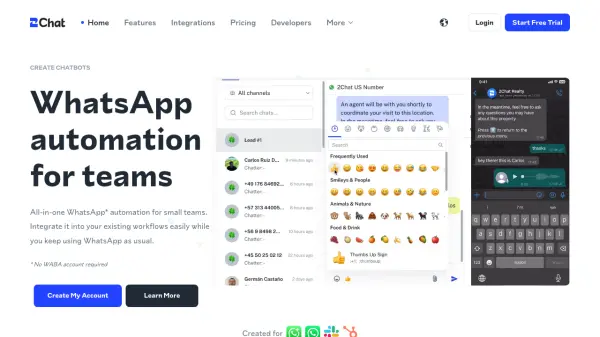
2Chat streamlines WhatsApp communication for teams by providing a robust automation suite that supports multi-agent chats, comprehensive reporting, chatbot creation, audio transcription, and third-party integrations. Users can connect their existing WhatsApp number by simply scanning a QR code, allowing for immediate setup without needing to switch to a new account or service. The platform features customizable permissions, live chat, bulk messaging, and extensive support for managing multiple agents and numbers.
Designed for sales, support, and marketing workflows, 2Chat enables businesses to automate routine messaging, analyze customer conversations, and boost productivity through integrations with tools like Slack and Zapier. With scalable plans, its flexible infrastructure adapts to both solo professionals and large teams, making it a suitable solution for organizations aiming to maximize their WhatsApp engagement and streamline their customer interactions.
Features
- Multi-Agent: Unlimited agents can respond to chats simultaneously.
- Multi-Number: Manage and assign multiple WhatsApp numbers.
- Per-Agent Permissions: Control access and permissions for each agent.
- Live Chat: Real-time chat management from a single dashboard.
- Chatbots: Drag-and-drop flow builder for automated conversations.
- Custom Menus: Tailor chat responses with menu-driven options.
- Audio Message Transcription: Automatic conversion of audio to text.
- Bulk Messaging: Send large-scale campaigns with ease.
- Integrations: Connect with Slack, Zapier, HubSpot, and more.
- Detailed Reporting: Analyze conversation topics, response times, and agent performance.
Use Cases
- Customer support automation for businesses using WhatsApp.
- Sales and lead generation through automated WhatsApp workflows.
- Managing multi-agent teams responding to customer queries.
- Bulk promotional messaging and WhatsApp marketing campaigns.
- Integrating WhatsApp communication into CRM or other business tools.
- Transcribing audio WhatsApp messages for record-keeping and analysis.
- Coordinating multi-number or multilingual customer operations.
- Efficiently organizing WhatsApp group communications for community managers.
FAQs
-
Can I use my existing WhatsApp number?
Yes. 2Chat allows you to connect your existing WhatsApp or WhatsApp Business number using the WhatsApp Web protocol. -
How do you connect to my WhatsApp number?
Connection is made via the WhatsApp Web protocol by scanning a QR code, enabling use without extra costs or number changes. -
Can this cause my number to be banned?
No, as 2Chat uses a standard WhatsApp Web connection, your number remains safe unless the system is used for spam. -
Will the WhatsApp app continue to work?
Yes. 2Chat does not interfere with the functionality of your WhatsApp app on your device. -
How does the free trial work?
Each plan includes a 7-day free trial allowing full access to 2Chat's features, after which you can upgrade or delete your account.