A product manager edits the support bot prompt in a shared doc. Engineering ships a model upgrade the same week. Ticket deflection drops, but nobody can say which change caused it because the prompt lived in three places: the doc, a hardcoded string in the repo, and a vendor dashboard nobody documented. Rollback means guessing which copy was "good enough" last month.
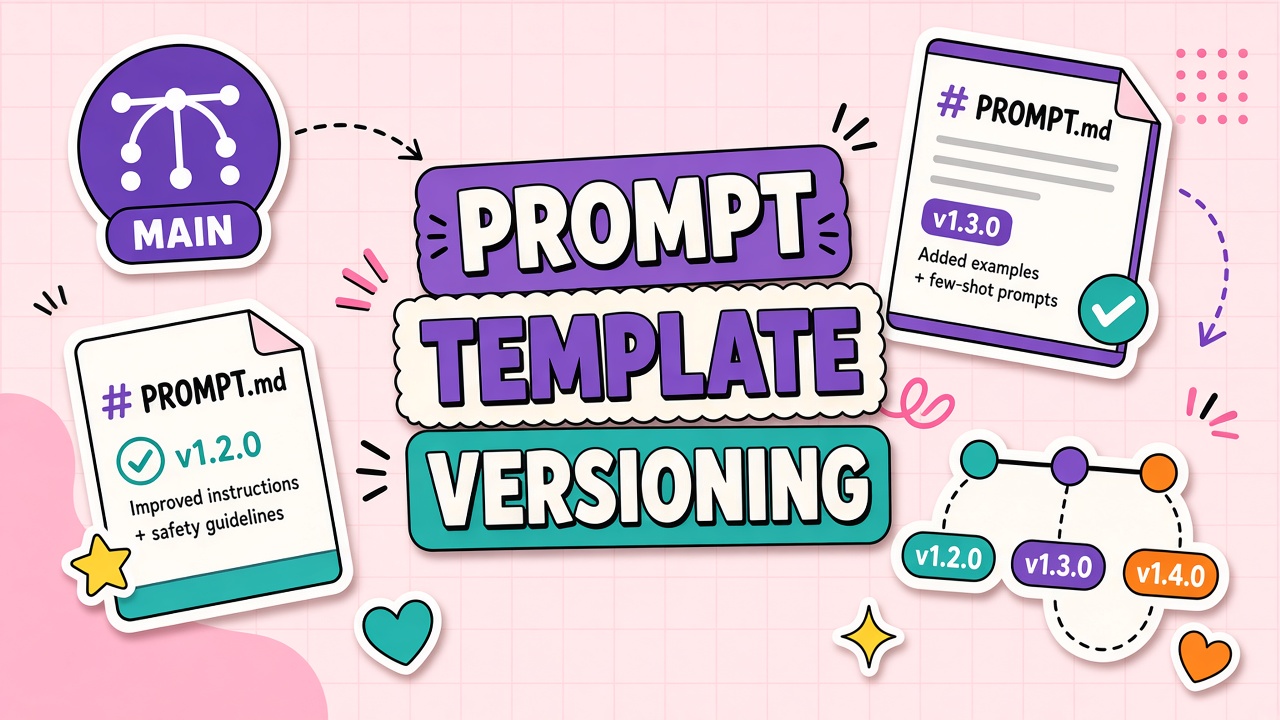
Prompt template versioning treats prompts as versioned artifacts: named templates with variables, semantic version tags, change history, and links to evaluation results. The pattern mirrors how teams manage SQL migrations or API schemas. Teams running AI chatbots and AI API integrations hit this wall quickly because small wording shifts compound with model updates into large behavior swings.
Template Variables and Version Tags
A prompt template is not a single frozen string. It is a structure with slots. System instructions stay stable. Runtime
variables inject user input, retrieved documents, locale, product SKU, or JSON tool results. Version tags (for example
[email protected]) identify the exact combination of template text and default parameters shipped to production.
What belongs in a versioned template record
- Template ID and version: Immutable version string; never overwrite in place.
- Role segments: System, developer, user message patterns with placeholder syntax (
{{user_query}},{{context}}). - Default model config: Model name, temperature, max tokens, stop sequences tied to that version.
- Changelog entry: Human-readable reason for the bump (fix hallucination on refunds, add JSON output instruction).
- Eval linkage: Pointer to harness run ID or pass rate at publish time.
Variable schemas should be validated at render time. Missing {{brand_name}} should fail fast in staging, not
produce a vague instruction gap the model fills with guesses. For
chatbot platforms,
multi-turn templates may version each node in a flow graph separately while a manifest records compatible combinations.
| Version bump type | When to use | Example |
|---|---|---|
| Patch (x.y.Z) | Typos, clarity tweaks, no behavior intent change | Fix spelling in system message |
| Minor (x.Y.z) | New instructions expected to shift outputs; eval required | Add citation format requirement |
| Major (X.y.z) | Breaking variable schema or incompatible model pairing | Restructure JSON output contract for API consumers |
Why Ad-Hoc Prompts Fail in Production
Ad-hoc prompts live in Slack threads, Notion pages, and engineer laptops. They work in demos because one person remembers the magic wording. They fail in production because nobody owns consistency across environments, and model vendors change defaults silently.
- Environment drift: Staging uses an old prompt; production uses a hotfix nobody committed.
- No audit trail: Compliance asks who approved policy language; the answer is unclear.
- Untestable changes: Without versions, eval harnesses cannot pin "what we shipped Tuesday."
- Collaboration friction: PMs edit prose engineers cannot diff; merge conflicts are manual copy-paste.
- Secret leakage: API keys and internal URLs get pasted into prompt docs shared broadly.
API-first products expose prompts indirectly through behavior. Customers integrate expecting stable JSON shapes. A prompt change without version notice breaks client parsers the same way an undocumented API field removal would. Versioning is how you communicate contract stability to downstream consumers.
Rollback When a Model Update Breaks Behavior
Model providers ship new snapshots frequently. A prompt tuned for GPT-4o may underperform on a newer snapshot with different instruction-following bias. Versioning separates template version from model version so you can diagnose which axis regressed and roll back one without guessing.
A practical rollback playbook
- Detect: Eval harness or online metric flags pass rate drop after deploy.
- Correlate: Compare deploy log: model ID change, template version change, or both.
- Isolate: Re-run eval with old model + new template and new model + old template.
- Revert: Pin previous template version in config; or pin previous model ID if template is innocent.
- Document: Open a ticket to retune template for the new model with a new minor version, not a silent edit.
Feature flags help route traffic to [email protected] while a fixed v2.3.0 bakes in staging.
Canary releases send five percent of
chatbot
traffic to the candidate template before full cutover. Instant rollback is a config change, not a frantic search through Google Docs.
Linking Template Versions to Evaluation Results
A version tag without eval evidence is just a label. Each template publish should attach harness results: pass rate, failed case IDs, latency, and cost per thousand requests at sample load. Store eval artifacts in object storage or your CI system with the version string as key.
When investigating production incidents, support engineers pull the template version from logs and replay failing user prompts against that exact artifact. If replay passes offline but failed live, the bug is likely retrieval, tools, or data drift, not prompt text. If replay fails offline, rollback is justified.
Promotion workflow example: developer bumps template minor version, opens PR with rendered diff and eval delta summary, reviewer checks safety cases at 100 percent, merge triggers automatic publish to staging, smoke passes, manual approval promotes version pointer in production config. The git commit hash and template version appear together in release notes.
Branching, Staging, and Environment Promotion
Version tags mean little without a promotion path across environments. Map template versions to deployment stages the same way
you map application builds: development drafts, staging candidates, production pins. A developer experiments with
[email protected] locally. Staging runs the release candidate against full eval. Production stays on
v1.3.2 until a human approves the pointer update in config management.
Avoid "latest" aliases in production configs. They defeat rollback and blur audit trails. Infrastructure-as-code repositories should store the production template version string alongside container image tags. When incident response begins, one glance at the deploy manifest reveals both application commit and prompt artifact versions active during the failure window.
Multi-tenant chatbot products sometimes allow per-customer template overrides. Namespace those overrides under customer IDs and inherit from a base platform version. Document which platform minor version each customer fork last synced from, or support debt compounds silently.
Shared Libraries, Permissions, and Secrets
Enterprises centralize templates in shared libraries: reusable blocks for tone, compliance disclaimers, and PII handling. Libraries need the same governance as internal npm or Composer packages.
Governance checklist for prompt libraries
- RBAC: Who can draft, who can approve publish, who can only consume read-only versions.
- Namespace ownership: Marketing owns
campaign-*templates; legal ownsdisclaimer-*blocks. - Secret injection: Never embed API keys in template text. Inject at runtime from a secrets manager.
- PII boundaries: Templates that log variables must redact emails and account IDs in observability tools.
- Dependency pinning: Composite templates declare which library block versions they include.
Vendor-hosted prompt studios can help non-engineers edit prose while engineering retains version pins in deployment config. Evaluate whether the vendor exports immutable versions via API or only offers a mutable "latest" pointer before relying on it for regulated API workflows.
Frequently Asked Questions
Should prompt templates live in Git or a prompt registry?
Git works well for engineering-led teams that already review code for every change. A dedicated prompt registry helps PMs and content strategists contribute with approval workflows and runtime fetching without full repo access. Many teams use both: Git as source of truth, registry as deployment cache with signed version artifacts.
How do shared prompt libraries avoid breaking dependents?
Treat shared blocks as versioned packages. Consumers pin explicit block versions. Breaking changes require major version bumps and coordinated upgrades. Automated tests notify teams when a shared disclaimer block publishes a new major version.
What permissions model fits prompt templates?
At minimum: authors (edit drafts), approvers (publish to production namespaces), and auditors (read all versions and eval history). Production publish should require two-person review for customer-facing chatbots handling payments or health information.
How do we keep secrets out of prompt templates?
Use placeholder variables resolved server-side at render time ({{api_key}} from vault). Scan repos and registries
for key patterns in CI. Train teams that prompts are logged by many observability products and should never contain raw credentials.
Do we version prompts separately from the model?
Yes. Model ID and template version are independent dimensions in config. Deploy logs should record both so rollbacks target the correct layer. Compatibility matrices document which template majors are validated against which model families.
Prompts Are Code, Not Footnotes
Prompt template versioning brings structure to the most volatile layer of AI products. Variables separate data from instructions. Tags mark what shipped. Eval linkage proves quality at publish time. Rollback paths exist when models change faster than your prose adapts.
Teams serious about conversational products and programmatic AI APIs should retire ad-hoc prompt edits and adopt the same discipline they expect from database migrations: reviewable, testable, reversible, and owned.