ZYNT.AI favicon

ZYNT.AI
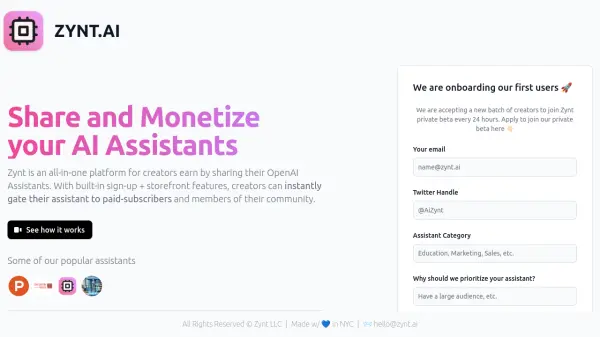
Share and Monetize your AI Assistants

What is ZYNT.AI?

ZYNT.AI provides a comprehensive platform designed for creators who develop OpenAI Assistants and wish to monetize their creations. It streamlines the process of sharing AI assistants by offering integrated features such as user sign-up mechanisms and dedicated storefronts.

With Zynt.ai, creators can easily restrict access to their custom GPT Assistants, making them available exclusively to paid subscribers or specific community members. This facilitates the building of a sustainable revenue stream around AI assistant development and community engagement, directly connecting creators with their user base.

Features

  • Monetization Platform: Enables creators to earn revenue by sharing their OpenAI Assistants.
  • Built-in Sign-up: Includes integrated user registration functionality.
  • Storefront Features: Provides tools to create a dedicated space for showcasing and selling access to AI assistants.
  • Access Gating: Allows creators to restrict assistant access to paid subscribers or community members.
  • OpenAI Assistant Integration: Specifically designed for sharing and managing OpenAI GPT Assistants.

Use Cases

  • Monetizing custom GPT Assistants for specific audiences.
  • Building paid communities around specialized AI tools.
  • Sharing proprietary AI assistants securely with subscribers.
  • Creating a storefront for AI assistant services.

Related Tools:

Blogs:

  • AI thumbnail maker tools

    AI thumbnail maker tools

    Automatically generate visually appealing and optimized thumbnails for various digital content, streamlining the design process and enhancing visual engagement

  • Top 6 AI note-taking tools for 2026: in-person, online, and hybrid use cases

    Top 6 AI note-taking tools for 2026: in-person, online, and hybrid use cases

    Most AI note-taking lists are really lists of meeting bots, which join your video call and transcribe it. That's useful, but it's half the picture. Decisions happen in hallway conversations, client dinners, on-site visits, and hybrid rooms where nobody is on a video link. This guide covers different parts of the note-taking workflow: hardware capture for in-person settings, platform-native tools for online calls, and AI layers for organizing and synthesizing what you've captured. It compares six tools by capture context, workflow fit, pricing, and limitations.

  • AI tools for video voice overs

    AI tools for video voice overs

    Discover the next level of video production with AI-powered voiceover tools. Enhance your content effortlessly, ensuring professional-quality narration for your videos.

Didn't find tool you were looking for?

Be as detailed as possible for better results