What is YogaDNS?
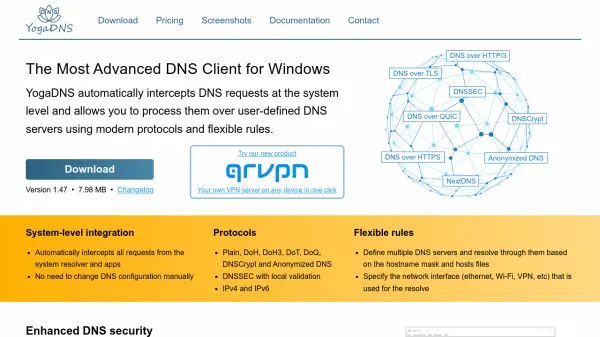
YogaDNS is a sophisticated DNS client designed for Windows systems that automatically intercepts DNS requests at the system level. It enables users to process these requests through user-defined DNS servers utilizing modern protocols such as DNS over HTTPS (DoH), DNS over TLS (DoT), DNS over QUIC (DoQ), DNSCrypt, and Anonymized DNS. The tool provides flexible rules for routing DNS queries based on hostname masks, network interfaces, and other criteria, ensuring enhanced security and efficient name resolution.
With features like DNSSEC validation, DNS leak prevention, and support for IPv4 and IPv6, YogaDNS offers a comprehensive solution for managing DNS traffic. It includes capabilities for logging queries for troubleshooting, importing public DNS servers from the web, and exporting configuration files. The tool integrates seamlessly with NextDNS and supports deployment across various network environments, making it ideal for both personal and professional use.
Features
- System-level Integration: Automatically intercepts all DNS requests from the system resolver and applications without manual configuration changes
- Protocol Support: Processes DNS requests over Plain, DoH, DoH3, DoT, DoQ, DNSCrypt, and Anonymized DNS protocols with IPv4 and IPv6 support
- Flexible Rules: Defines multiple DNS servers and resolves queries based on hostname masks, hosts files, and specified network interfaces like ethernet or VPN
- Enhanced DNS Security: Provides name resolution over encrypted channels with DNSSEC validation and DNS leak avoidance
- DNS Server Management: Assigns specific DNS servers for specific DNS names using rules and logs queries for troubleshooting
Use Cases
- Securing DNS queries with encrypted protocols to prevent eavesdropping
- Routing DNS traffic through specific servers based on domain names for organizational control
- Preventing DNS leaks when using VPN connections for enhanced privacy
- Troubleshooting network issues by logging and analyzing DNS queries
- Implementing DNSSEC validation to ensure DNS response authenticity