Yabble favicon

Yabble
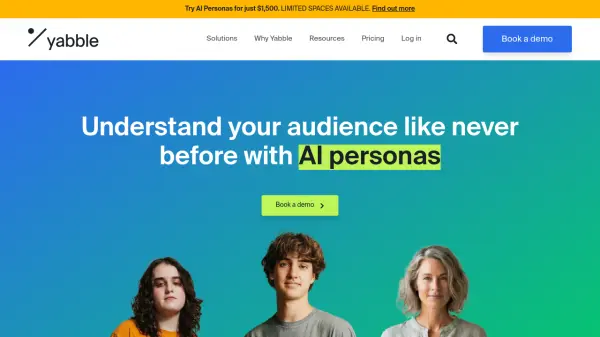
Understand your audience like never before with AI personas

What is Yabble?

Yabble provides world-leading Generative AI solutions designed to answer critical business questions with ease. The platform allows users to generate rich, accurate insights in minutes, enhancing overall business knowledge, boosting productivity, and maximizing return on investment.

Yabble's suite of AI-driven tools offers various functionalities, including creating AI Personas (Virtual Audiences), data analysis (Gen), automatic theming and counting (Count), and insightful summarization of complex data (Summarize). These features provide businesses with the resources for faster, smarter decision-making capabilities.

Features

  • Virtual Audiences: Create AI Personas to answer business questions.
  • Gen: AI research assistant for comprehensive data analysis.
  • Count: Automatically theme and count data.
  • Summarize: Consolidate complex data into insightful summaries.

Use Cases

  • Analyzing open-ended survey responses.
  • Summarizing qualitative interview transcripts.
  • Identifying key themes and sentiments in customer feedback.
  • Creating AI personas for market research.
  • Generating insights for product development.
  • Streamlining data analysis workflow.

FAQs

  • What are credits in Yabble?
    Each Yabble subscription is based on the number of credits consumed across the Yabble tools.

Helpful for people in the following professions

Related Tools:

Blogs:

  • Chat with PDF AI Tools

    Chat with PDF AI Tools

    Easily interact with your PDF documents using our advanced AI-powered tool. Whether you're reading lengthy reports, research papers, contracts, or eBooks, our platform lets you chat directly with your PDF files, ask questions, extract insights, and get summaries in real-time.

  • Top 6 AI note-taking tools for 2026: in-person, online, and hybrid use cases

    Top 6 AI note-taking tools for 2026: in-person, online, and hybrid use cases

    Most AI note-taking lists are really lists of meeting bots, which join your video call and transcribe it. That's useful, but it's half the picture. Decisions happen in hallway conversations, client dinners, on-site visits, and hybrid rooms where nobody is on a video link. This guide covers different parts of the note-taking workflow: hardware capture for in-person settings, platform-native tools for online calls, and AI layers for organizing and synthesizing what you've captured. It compares six tools by capture context, workflow fit, pricing, and limitations.

Didn't find tool you were looking for?

Be as detailed as possible for better results