
What is wide.video?
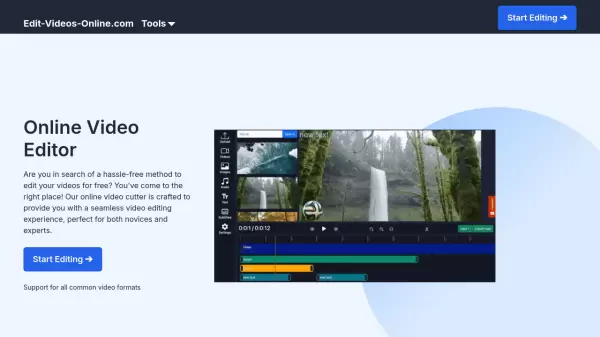
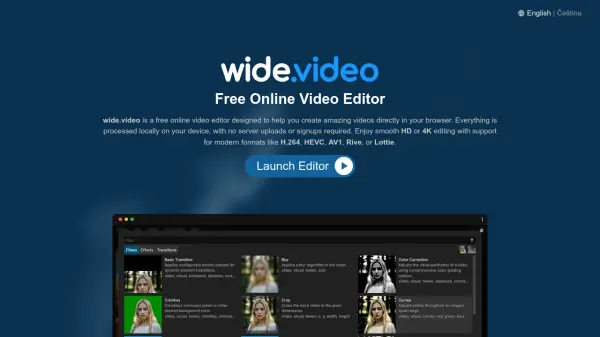
wide.video is a complimentary online video editing tool that operates directly within a web browser, eliminating the need for software installations or server uploads. All video processing is handled locally on the user's device, ensuring privacy and immediate access to media from the local file system. This approach allows for smooth editing of high-definition (HD) and 4K videos, supporting modern formats such as H.264, HEVC, AV1, Rive, and Lottie.
The platform is cross-platform compatible, functioning seamlessly on Mac, PC, and Chromebook devices. Users benefit from features like unlimited layers, various aspect ratios and frame rates, GPU-accelerated video encoding, access to free stock media, and a suite of smart editing tools including Background Remover, Text-to-Speech, and Captions Generator. wide.video is entirely free, requiring no registration, and does not impose fees or watermarks on exported videos.
Features
- Local Processing: All video editing is performed on the user's device, ensuring privacy with no server uploads required.
- Completely Free: Offers 100% free service without paywalls, advertisements, logins, or watermarks on output.
- Modern Codec Support: Edits and exports videos using H.264, HEVC, AV1, Rive, Lottie, and more, with GPU acceleration.
- Cross-Platform Compatibility: Works seamlessly on Mac, PC, or Chromebook directly in a web browser.
- Unlimited Compositions: Supports Full HD, 4K, various aspect ratios (portrait, landscape, square), frame rates (60/120 FPS), and unlimited layers.
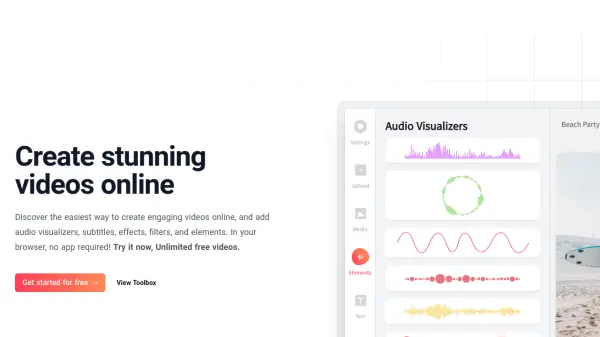
- Smart Editing Tools: Features include Background Remover, Text-to-Speech, Captions Generator, Video Stabilizer, Noise Reduction, and Silence Remover.
- Free Stock Media Access: Provides a library of royalty-free stock videos, images, and motion graphics.
- Multicam Synchronization: Includes a tool for synchronizing footage from multiple camera sources.
Use Cases
- Editing videos quickly directly in a browser without software installation.
- Creating high-definition (HD) or 4K videos using modern video codecs.
- Producing videos on various operating systems like Mac, PC, or Chromebook.
- Enhancing videos with smart tools like background removal or text-to-speech narration.
- Generating automatic captions or subtitles for video content.
- Improving video quality through stabilization, noise reduction, and silence removal.
- Incorporating royalty-free stock media into video projects at no cost.
- Editing and synchronizing footage from multi-camera setups.
FAQs
-
Does wide.video require an internet connection to edit videos?
While wide.video is a browser-based application loaded via the internet, all video processing occurs locally on your device. This means no constant server communication or uploads are needed during editing. Offline support for web, PWA, and ChromeOS app is also available. -
Are there any limitations on video resolution, length, or features?
wide.video supports smooth HD or 4K editing and unlimited export file sizes. You can use as many layers as you need for graphics, background videos, and audio tracks without restriction. -
Is wide.video completely free to use?
Yes, wide.video is a 100% free service. There are no paywalls, ads, required logins, or watermarks on your exported videos. -
What types of files can I edit with wide.video?
wide.video supports a wide range of modern video and audio formats, including H.264, HEVC, AV1, AAC, MP3, GIF, Rive, and Lottie. It also supports animated and transparent images like APNG, AVIF, GIF, and WEBP. -
Can I use wide.video on my Mac, PC, or Chromebook?
Yes, wide.video is designed to be cross-platform. You can easily start video editing on your Mac, PC, or Chromebook using your preferred web browser.